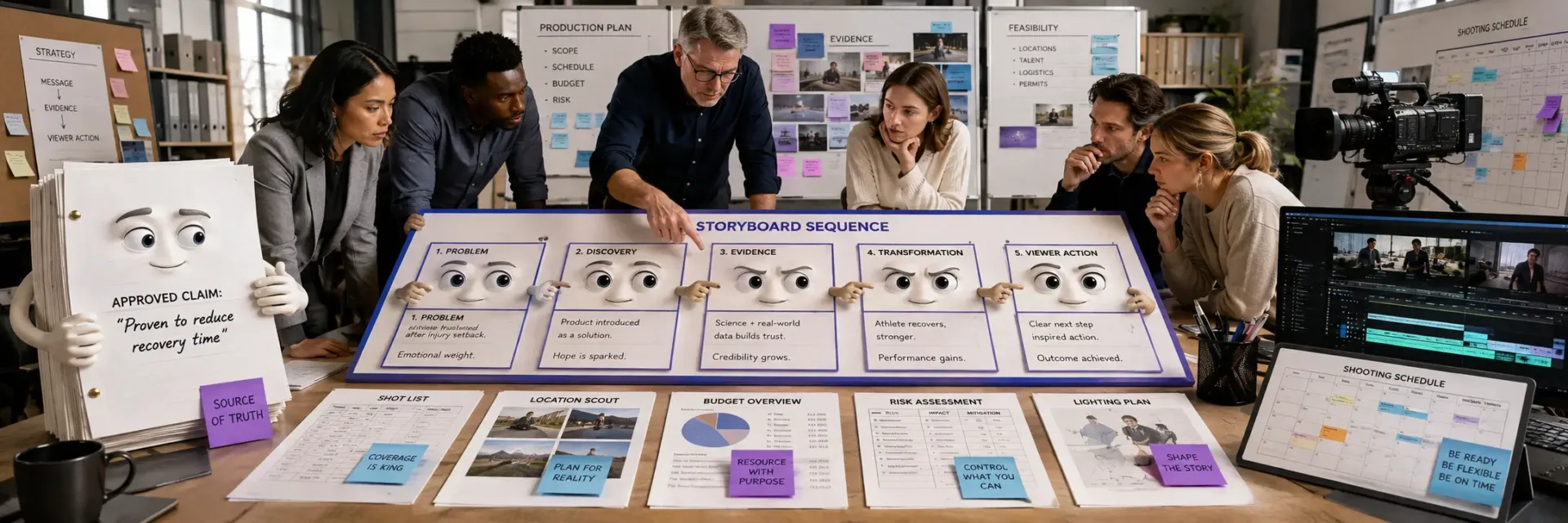
What You’ll Learn
Video storyboard planning is the pre-production process of defining what a video must communicate, what viewers should see, and what teams must capture before filming.
Effective planning connects the audience, business objective, message, evidence, limitations, and desired action to a clear visual sequence.
The script defines what is said, the storyboard defines visible meaning, the shot list specifies required footage, and the shooting list assigns capture responsibilities.
Each important frame should support a claim, proof point, viewer question, or call to action.
A storyboard is production-ready when claims connect to visuals and capture instructions, required resources and owners are confirmed, feasibility is checked, and approval and change rules are documented.
Key Takeaways
- Video storyboard planning connects the business objective, audience, message, evidence, limitation, and viewer action before filming begins.
- The script defines what is said, the storyboard defines visible meaning, the shot list defines required footage, and the shooting list defines capture preparation and ownership.
- Every important frame should support a claim, proof point, viewer question, or CTA; decorative footage that serves none of these functions increases waste without improving clarity.
- A storyboard is ready to shoot only when claims are traceable from script to frame to capture instruction, production resources have owners, and substantive changes have a defined approval path.
Video storyboard planning is the pre-production process of deciding what a video must communicate, what the viewer should see, and what the team must capture before filming.
This guide follows that sequence from objective and evidence through document handoff, approval, production feasibility, and readiness to shoot.

What video storyboard planning decides before production
Video storyboard planning decides how a business objective becomes a sequence a viewer can understand before filming begins.
But a video storyboard is not a gallery of attractive panels added after the idea is complete; it connects the audience, message, demonstration, proof, limits, and next action.
The common belief is that polished production can rescue an unclear message, yet the storyboard is where that risk should become visible first.
Start with the objective, audience, message, and desired viewer action
Begin with the response the video must create.
Is the viewer meant to understand a problem, trust a claim, compare options, request information, or take another defined step?
Each response calls for a different sequence.
The audience changes that sequence.
A technical buyer may need a clear process and limits.
A senior decision-maker may need the business consequence first.
A new user may need to see the product in use before hearing detailed features.
Therefore, the first planning question is not, “What should the opening shot be?” It is, “What must the viewer understand before the next action feels reasonable?”
That question connects the message to behavior.
Without it, teams can build scenes that look useful but do not move the viewer towards a meaningful action.
A practical video production planning brief can state five decisions:
- The business objective
- The intended audience
- The one message the viewer should retain
- The response the video should create
- The action the viewer should take next
This is where script vs storyboard becomes useful.
The script controls words, narration, dialogue, and timing.
The storyboard shows how those words become images, movement, proof, and emphasis.
One can sound clear while the other exposes a weak visual idea.
The same test applies to storyboard vs. shot list.
A shot list records what the crew needs to capture.
A storyboard explains why those shots appear, in what order, and what the viewer should understand from them.
A shot list can support production.
A storyboard can test communication.
The difference affects cost and quality.
If the viewer action is unclear, the team may film more footage without improving the message.
More footage creates more editing choices, not more strategic clarity.
Define the demonstration, proof, limitation, and ask
Commercial video must make its central claim visible and credible.
A product demonstration storyboard should specify what the viewer will see, what that scene supports, and what remains outside the claim.
Start with the demonstration.
Show the action that matters to the buyer, not every available feature.
Then connect it to proof: an observable result, a process step, a comparison, or another support the audience can assess from the video itself.
Proof does not require inflated language.
It requires a clear link between the claim and the evidence shown.
If the video says a process is easier, the sequence should make the relevant reduction in effort visible.
If it presents a product capability, the scene should show that capability in a setting that fits the intended use.
But limits need a place in the plan too.
A claim may depend on conditions, setup, user behavior, or a specific use case.
Leaving those limits out can create doubt later, especially when the viewer notices a gap between the promise and the demonstration.
The ask should follow the evidence.
A viewer who has just seen a product solve a defined problem may be ready for a product page, consultation, trial, or direct contact.
A viewer who still lacks context may need another proof point first.
That sequence is easy to miss.
Treat the storyboard as a claim check.
For each major scene, ask:
- What does this scene show?
- Which message does it support?
- What can the viewer reasonably believe after seeing it?
- What limitation should the team state or show?
- What next step fits that level of confidence?
This gives approval a sharper basis.
Stakeholders can review the logic before they debate colors, camera angles, or transitions.
They can also spot when the ask demands more trust than the video has earned.
In this article’s operating model, a useful working rule is: every important claim needs a visible job in the sequence.
If a line matters to the sale but has no supporting image, action, or proof, the storyboard has found a risk before production has paid to hide it.
Why production and editing cannot repair an unclear message
Production gives form to a message.
It does not decide what the message should mean.
An editor can shorten a scene, change its order, add text, or improve its pace.
Those choices help when the intended meaning is already clear.
They become guesswork when the offer, audience, or viewer action remains unsettled.
Think of the storyboard as a rehearsal room.
The team can move the pieces before the set, crew, and edit schedule make every change harder.
If the central idea still feels vague in simple panels and short descriptions, adding camera movement will rarely solve the issue.
AI video storyboard tools can speed up visual exploration.
They may suggest frames, styles, or sequences.
But speed does not answer the harder questions: Is this the right audience?
Is the claim supported?
Does the demonstration prove the point?
Is the next action clear?
The same limit applies to templates.
A template can provide rhythm.
It cannot choose the strongest message for a specific buyer or set the right boundary around a claim.
Therefore, approval should test meaning before appearance.
Ask whether the sequence lets a viewer see the problem, understand the offer, trust the support, recognize any limit, and know what to do next.
The answer reveals the real purpose of video storyboard planning.
It is less about drawing every frame than making the video’s business logic visible before filming begins.
Once that logic is clear, production can focus on execution; the next planning question is how each approved scene should become a precise shot.

Script, storyboard, shot list, and shooting list: what each document decides
What Each Video Planning Document Decides Table
| Readiness area | What to verify | Evidence of readiness | If unclear |
|---|---|---|---|
| Audience and action | The audience, main message, and intended viewer action are explicit | The viewer’s next step is clear without extra interpretation | Pause approval and clarify the communication goal |
| Claims and proof | Claims and proof have a planned visual or spoken treatment | A reviewer can trace each claim to supporting content | Revise the claim, visual, evidence, or qualification |
| Viewer understanding | Viewer questions have a response in the sequence | Each major frame has a clear purpose | Remove decorative footage or add missing explanation or evidence |
| Capture and resources | The shooting list reflects the storyboard and resources have owners | Assets, locations, talent, props, equipment, and permissions are accounted for | Resolve feasibility gaps before filming |
Video storyboard planning depends on more than a script and a stack of production documents.
But the script, storyboard, shot list, and shooting list each control a different decision before filming.
Treating them as interchangeable can make an approved plan look complete while leaving the message, evidence, or capture work unresolved.
The script defines what is said and claimed
The script controls the message.
It records dialogue, voiceover, on-screen words, claims, limits, and the action the viewer should take.
It gives reviewers one place to assess whether the video says the right thing.
That makes the script more than spoken copy.
It is where the team tests each claim.
Can the business support it?
Is the wording clear?
Does the statement need a qualifier?
Does the ask match the viewer’s level of interest?
A product demonstration script may describe a feature, its use, and the next step.
But it cannot show whether the viewer will understand the feature from words alone.
That decision belongs in the visual plan.
The quiet risk is approval without substantiation.
A script can sound polished while leaving the production team unsure which statements need visible evidence, supporting text, or a clear demonstration.
Therefore, script approval should cover message quality and evidence needs, not just grammar.
The script answers: What must the video say, claim, explain, and ask?
The storyboard defines what the viewer sees and why
A video storyboard turns the approved message into a sequence of viewer experiences.
Each panel should show the intended action, subject, setting, camera view, on-screen text, and connection to the spoken line when those details affect understanding.
This is where a claim meets evidence.
A panel can show a product in use, a process in motion, a result being checked, or a CTA at the moment the viewer is ready to respond.
The purpose is not to make every frame attractive.
The purpose is to make the message visible.
A storyboard panel should answer three questions: What does the viewer see?
What idea does that visual support?
What question might remain after the frame ends?
If the panel cannot answer those questions, the production team may capture footage that looks correct but carries little meaning.
A storyboard maps the viewer’s attention.
The script sets the words; the storyboard determines what the viewer can observe as those words unfold.
That distinction makes a production-ready storyboard useful for review, not just illustration.
The difference between a script and storyboard is simple: the script protects the message, while the storyboard tests whether the message can be understood visually.
The shot list and shooting list define what must be captured
The shot list converts storyboard panels into capture requirements.
It identifies the shots needed for the edit, along with details such as framing, action, subject, location, and any footage that carries key evidence.
The shooting list organizes those requirements for production.
It can group capture needs by location, participant, asset, setup, or responsibility, depending on how the team prepares the day.
The distinction matters: the shot list describes the footage; the shooting list helps the team manage what must be captured and by whom.
Teams may use these labels differently, so define the responsibilities for the specific production.
That is the practical difference in a storyboard vs. shot list review.
The storyboard asks whether the sequence makes sense.
The shot list asks whether the planned footage exists in a form the editor can use.
The shooting list asks whether the team has assigned and prepared the capture work.
Missing-shot prevention starts with the shots that carry meaning.
A close view of a product feature, a clear demonstration step, or a readable CTA may matter more than a large group of attractive filler shots.
If an evidence-bearing shot is missing, extra footage rarely repairs the gap.
The capture record matters more than a collection of extra footage.
Before filming, the team should be able to trace each important visual from storyboard panel to shot requirement to production responsibility.
The shot list answers: Which images and sounds must exist?
The shooting list answers: How will the team capture them without leaving a gap?
How these documents work together before the shooting schedule
The documents work best as a relay, with each one passing a defined decision to the next.
The script sets the approved message.
The storyboard gives that message a visible sequence.
The shot list names the footage required for that sequence.
The shooting list prepares the people, assets, setups, and responsibilities needed to capture it.
The order does not mean every decision ends once a document is drafted.
Review should move in both directions.
A storyboard may expose a claim that has no visible support.
A shot list may reveal that a planned demonstration needs an asset, setting, or capture condition that has not been prepared.
That is where storyboard approval earns its value.
Approval should test more than whether panels look acceptable.
It should confirm that the message, visual evidence, viewer questions, and CTA can survive the move into production.
A useful review asks:
- Does every major claim have a clear visual treatment?
- Does every important panel produce a usable capture requirement?
- Are missing assets, people, locations, and responsibilities visible before scheduling?
- Does the final action appear at a point the viewer can understand?
The shooting schedule comes after those decisions have enough clarity to organize.
It should not become the place where the team discovers that a scene has no usable visual plan.
Therefore, schedule planning should group confirmed capture needs, while unresolved message or evidence issues return to the script or storyboard.
This keeps the roles separate without creating four disconnected files.
The script decides the claim.
The storyboard decides the visible meaning.
The shot list decides the footage.
The shooting list decides the preparation and ownership.
The payoff is a cleaner production decision: a document is ready when its next user can act without guessing.
The next question is whether the storyboard exposes weak claims and missing evidence early enough to change the plan.

How to turn a script into a claims-and-evidence storyboard
Video storyboard planning turns an approved script into visible claims, viewer decisions, and production instructions.
But a script can sound complete while leaving the camera with no clear job.
Many teams treat the storyboard as a visual version of the script, yet its real test is whether each important claim has evidence the viewer can see before taking the next step.
Break the script into scenes, beats, and essential shots
Start with the viewer’s decision path, not the camera setup.
Mark each script passage by the change it should create: recognition, understanding, confidence, desire, or action.
That change becomes the beat.
A scene groups beats that happen in one setting, situation, or visual idea.
A shot captures one usable piece of that scene.
The distinction matters.
A long explanation may need several shots if the viewer must see a process, a result, and the reason to care.
For each beat, ask three questions:
- What claim is the viewer hearing?
- What question will the viewer have next?
- What must appear on screen to answer it?
That third question turns a script breakdown into video production planning.
It also prevents a common mistake: treating every sentence as a scene.
Some lines need a product demonstration storyboard.
Others need a close-up, a screen capture, a reaction, or no new visual at all.
The essential shot is the smallest planned view that carries the beat.
There is no fixed scene, shot, or panel count: add a new unit when the viewer’s message, question, evidence, action, or production requirement changes, and combine units when the meaning remains continuous.
It may show the product in use, the relevant interface, a change in condition, or the action the viewer should understand.
Extra shots can add style, but they should not hide a missing piece of evidence.
The expensive mistake is easy to miss early: a script may promise a result that the planned shots never make visible.
Keep four items together in the breakdown: the beat, the claim, the evidence, and the next viewer question.
Therefore, the sequence can be reviewed for meaning before anyone debates lenses, locations, or visual polish.
What every storyboard panel should specify
A storyboard panel should give the team enough information to make a production decision without guessing.
Artwork is secondary.
The panel’s job is to show what happens, what the viewer sees, and what the crew needs to capture.
Begin with the visual action.
State what is in frame and what changes.
Then specify the production choices that affect filmability and comprehension:
- Shot size: wide, medium, close-up, or another clear framing choice
- Camera angle: the viewpoint that best shows the action or evidence
- Camera movement: static, pan, tilt, tracking, or a stated reason to move
- Dialogue or voiceover: the exact spoken line or approved narration
- Audio: music, sound effect, room sound, silence, or a needed recording
- On-screen text: the words, labels, captions, or callouts the viewer must read
- Transition: the change from one panel or scene to the next
- Timing: the expected duration or the point at which the visual and spoken line change
- Evidence note: the claim supported by the panel and the detail that makes it credible
The evidence note is the layer generic storyboards often miss.
A panel that says “show product” leaves too much open.
A stronger panel states which feature appears, what action demonstrates it, and what the viewer should understand from that action.
This does not mean every panel needs a long description.
It means every panel needs a clear job.
If a panel cannot support a claim, answer a viewer question, guide attention, or make the next action clear, it may belong in a shot list rather than the storyboard.
That is the practical difference between a storyboard and a shot list.
A shot list helps the crew organize capture.
A storyboard shows how captured material will communicate the message.
The documents can share details, but they should not make the same decision.
Match narration, visuals, audio, text, and timing
A spoken claim and a visual can occupy the same moment without supporting each other.
The narration may promise a simple action while the image shows a busy interface.
The on-screen text may introduce a second idea.
The timing may end before the viewer can read the label.
Treat each element as part of one meaning unit.
Narration states or guides the claim.
Visual action supplies evidence.
On-screen text names, clarifies, or qualifies the point.
Audio shapes attention and tone.
Timing gives the viewer enough space to process the combination.
For a product demonstration, the sequence might require the viewer to see the starting problem, the action taken, and the visible change that follows.
If the narration says the process is simple but the panel shows only a finished screen, the storyboard has skipped the evidence that supports simplicity.
The same test works for a brand message or instructional video.
Read the narration alone.
Then inspect the visuals without sound.
If either version creates a different meaning, mark the point for review.
The issue may be a missing shot, crowded text, weak timing, or a claim that needs more precise language.
Ask one hard question: if the voiceover disappeared, would the visual still support the intended point?
If the answer is no, the panel may depend too heavily on narration.
If the answer is yes but the narration adds nothing, the script may be using words to describe what the viewer can already see.
The weak signal often looks like efficiency.
Fewer panels, shorter timing, and less on-screen text can feel clean.
But compression can remove the evidence that makes the message believable.
Therefore, review the storyboard for comprehension, not just runtime.
A simple review pass can mark each panel as one of four states: claim introduced, evidence shown, question answered, or action prompted.
A panel can serve more than one state, but a sequence with many claims and few evidence panels needs revision before approval.
Use rough references without confusing polish for proof
A rough reference can communicate a camera position, screen layout, movement, or visual priority.
It does not need to look like the finished video.
Drawing skill is not the test; shared production intent is.
Think of a rough storyboard as a floor plan.
It can show where the important pieces go without showing the final materials.
A clean sketch may still fail if it hides the action.
A rough screenshot may work if it makes the needed evidence clear.
Use reference images, frame grabs, simple diagrams, or temporary screen layouts when they make a production choice easier to review.
Label what is fixed and what is still open.
For example, the exact set design may remain open while the required product action, screen state, and camera view are fixed.
An AI video storyboard can speed up visual references, but generated images should not decide the claim.
Check each reference for the same questions as any hand-drawn panel: Can the viewer see the required action?
Can the crew reproduce the shot?
Does the image support the narration?
Does it create a false expectation about the finished production?
Polish can create false confidence.
A beautiful panel may win approval while leaving the key evidence vague.
Rough work can expose the gap sooner, which gives the team a better chance to correct the script, shot sequence, or production plan before filming.
A production-ready storyboard is therefore not the prettiest version.
It is the version where the message, evidence, and capture requirements are clear enough for approval and execution.
The real test is simple: every panel should state what the viewer must understand and what the crew must capture to support it.
Once that test exposes the weak claims, the next decision is sharper – which ideas deserve screen time at all?

The frame-by-frame test for removing decorative footage
Video storyboard planning should show why each frame exists before production begins.
But a polished panel can still add no meaning, evidence, or movement toward action.
The common belief is that attractive footage is harmless; the frame-by-frame test shows whether it earns attention or weakens the business message.
Does the frame support a claim, proof point, viewer question, or CTA?
Start with the script, then inspect the matching storyboard panel.
Each frame should connect to at least one of four functions:
- Claim: What does the video want the viewer to believe?
- Proof point: What visible detail supports that belief?
- Viewer question: What uncertainty does the frame help answer?
- CTA: What action should become easier after the frame?
This is where script vs storyboard work separates.
The script controls what the video says.
The video storyboard controls what the viewer can see, infer, and remember.
A line such as “easy to use” may need a product view, a clear action, or a before-and-after state.
Without that visual decision, the panel may look complete while the message remains unproven.
For a product demonstration storyboard, map the frame to the exact moment of understanding.
If the viewer needs to see setup, show setup.
If the viewer needs to trust an outcome, show the relevant evidence available to the production.
If the viewer needs to act, give the CTA clear visual space.
A frame earns its place when it reduces uncertainty or moves the viewer forward.
If it does neither, it may be decoration wearing a purpose.
Use a short function tag beside every panel: claim, proof point, question, or CTA.
One frame may serve two functions, but a blank tag signals a planning problem.
Therefore, storyboard approval should review meaning before composition, camera style, or visual polish.
That review keeps attention on the reason the viewer should continue.
Identify unsupported visual promises and missing evidence
Visuals can promise more than the script says.
A smiling customer may suggest satisfaction.
A fast interface sequence may suggest ease.
A close-up of a feature may suggest that the feature solves the buyer’s full problem.
None of those meanings should pass without review.
The risk is not limited to inaccurate wording.
It can sit inside the image choice itself.
A frame may imply scale, speed, quality, or product capability that the available evidence does not show.
That creates a gap between what the video suggests and what the business can defend.
Review each panel with three questions:
- What promise could a viewer take from this image?
- What evidence in the frame supports that promise?
- What limitation or missing view could change the interpretation?
This test is especially useful for service videos.
A team shot may signal expertise, but it does not show how the service works.
A dashboard shot may signal control, but it does not prove the result.
A customer quote may build confidence, but the surrounding visuals still need to make the offer clear.
A storyboard can work like a product label.
It does not need to show every detail, but every visible promise must match what is inside.
A production-ready storyboard gives the team enough direction to capture the needed view, rather than substituting an attractive image that leaves the claim exposed.
The quiet failure is often a missing frame.
Missing evidence can appear as a skipped step, an unreadable interface, an absent limitation, or a product angle that never shows the feature in use.
During video pre-production, these gaps are inexpensive to fix.
During editing, the team may have to cover them with decorative footage, text, or a voiceover that carries too much weight.
That raises production risk and can reduce trust at the point of decision.
Mark each panel as supported, implied, or missing.
“Implied” deserves attention.
It may be acceptable for a mood frame, but it should not carry a major claim.
This distinction keeps the storyboard focused on what the viewer must understand and gives production a clear correction before filming.
Protect the central ask and end-card placement
A CTA should not arrive as an afterthought.
If the intended action matters, the storyboard must give that action a planned place in the sequence.
First, state the central ask in plain language.
Is the viewer meant to request information, start a trial, book a conversation, visit a page, or take another defined step?
Then inspect the frames before the end card.
Do they prepare the viewer for that action, or do they end on a visual high point with no clear next move?
The storyboard vs shot list distinction matters here.
A shot list may confirm that the end card will be captured.
The storyboard should show how the viewer reaches it.
That includes the final message, the visual pause, the supporting text, and the point at which the viewer has enough context to act.
An end card placed too early can interrupt understanding.
One added too late may compete with credits, a final visual, or a rushed edit.
The issue is not simply duration.
It is whether the sequence earns the ask before presenting it.
Protect the viewer’s last clear reason to act.
Use the final panels to check the chain: message, evidence, decision, action.
Remove any frame that breaks that chain without adding new understanding.
Keep the end card visible in the plan, even if its final design is not complete, so copy, timing, voiceover, and edit choices can support it.
This also improves AI video storyboard work.
Generated panels can produce many attractive options, but visual variety does not prove strategic value.
Each proposed frame still needs a claim, evidence, question, or CTA assignment before it enters the approved sequence.
The frame-by-frame test reveals the real cost of decorative footage: it takes attention away from the evidence and action the video needs.
A frame earns its place when removing it weakens understanding, trust, or the next decision.
The surviving sequence can then move into production with fewer unsupported promises and clearer viewer direction.

Pre-production approval gates before the budget opens
Video storyboard planning should turn claims, proof, feasibility, and ownership into decisions made before filming begins.
But pre-production approval is more than a final courtesy review; it determines whether the team can spend against a production-ready storyboard without exposing budget, trust, or conversion risk.
The common belief is that approval ends with comments resolved, yet the harder test is whether the approved plan can guide filming and editing without reopening decisions.
Claims and proof review
Every spoken claim and visible demonstration needs a support check.
Reviewers should ask what the viewer is meant to believe, what the footage will show, and what evidence supports that meaning.
This applies to a product demonstration storyboard as much as a brand video.
A feature shown on screen may suggest a result that the script never states.
A comparison may imply an advantage without showing its basis.
A limitation may be missing from both the voiceover and the frame.
The review should connect four items:
- the exact script claim
- the visual or demonstration that supports it
- the evidence or source available to the production team
- any limit, condition, or qualification the viewer needs
If one item is unclear, the scene is not ready for approval.
The team may need to soften the wording, change the visual, add support, or remove the claim.
A useful test is simple: could a reviewer point to the exact frame and line that support the promise?
If not, the storyboard is carrying intent rather than approval-ready meaning.
That distinction protects more than compliance.
It keeps the editor from building emphasis around a claim that later needs removal, and it keeps the camera operator from capturing footage that cannot carry the intended message.
It also protects trust by making the viewer-facing promise traceable before production spend begins.
Production feasibility review
A storyboard can be logically sound and still fail in production.
Feasibility review checks whether the planned scenes can be filmed with the locations, talent, props, equipment, permissions, assets, and audio conditions available.
The review should inspect each required shot, not just the overall concept.
Can the location support the camera position?
Is the product available in the needed state?
Does the scene depend on a permission, person, screen, sample, or sound condition that has not been confirmed?
This is where the difference between a storyboard and a shot list becomes practical.
The storyboard communicates what the viewer should see.
The shot list helps the crew organize what must be captured.
Neither document can solve an unavailable location or missing asset.
A strong feasibility review marks the difference between:
- required footage and optional footage
- confirmed resources and assumed resources
- simple substitutions and changes that affect the claim
- shots that can be combined and shots that need separate coverage
But feasibility is not a reason to strip the idea down without thought.
If a required scene cannot be filmed, the team should first ask what decision that scene supports.
A new visual may solve the production problem, but only if it preserves the intended meaning.
Think of the review as a preflight check.
It does not make the aircraft move faster.
It confirms that the planned route has the fuel, instruments, and clearance needed to leave the ground.
Therefore, a scene should pass only when its purpose and its production path are both clear.
Budget exposure begins when teams treat assumptions as bookings, and production risk grows when a substitute changes what the viewer is meant to believe.
Stakeholder ownership and revision criteria
Approval slows down when everyone can comment but no one owns the decision.
Video pre-production needs named reviewers for the script, storyboard, claims, proof, and production plan.
The owner does not need to write every comment.
The owner does need authority to accept the material, reject it, or request a defined change.
Without that distinction, feedback becomes a growing pile of preferences rather than a path to release.
Set the review criteria before circulation.
A comment may concern factual support, viewer clarity, production risk, brand fit, or personal taste.
Those are different types of input and should not carry equal weight.
The approval record should make four points visible:
- who reviews each planning document
- who gives final approval
- what conditions must be met before filming
- which changes require the document to return for review
Substantive changes usually include a new claim, a different demonstration, a changed audience promise, a new location, or a shot that affects the production plan.
Minor wording or formatting changes may not need the same review, but the rule should be agreed before revisions begin.
The common myth is that more reviewers create safer work.
More reviewers can expose more risks.
They can also create conflicting direction if decision rights remain vague.
One person should be able to answer: “Is this approved for filming, and what remains open?” That answer is more useful than a document marked with many comments and no clear release point.
Clear ownership reduces revision loops, protects schedule focus, and gives the production team a reliable basis for action.
How approved planning documents guide the camera operator, editor, and production team
Approval earns its value only when the crew can use it.
The camera operator needs to know the required action, framing, continuity needs, and critical visual detail.
The editor needs to know the intended sequence, spoken line, supporting footage, and any claim that cannot be weakened through a careless cut.
The production team also needs to see what is fixed and what can change on set.
A production-ready storyboard can show the intended frame, while connected notes identify the script line, required evidence, sound needs, props, and alternate coverage.
This prevents a common failure in video production planning: the approved document stays with the reviewers while the crew works from memory or a partial shot list.
The result may look polished yet miss the approved meaning, forcing costly pickups or weakening the final cut.
A practical handoff asks each role to confirm its own decisions:
- the camera operator confirms the required visual coverage
- the production team confirms resources, access, timing, and permissions
- the editor confirms the sequence, continuity needs, and proof-sensitive moments
- the approver confirms what must remain unchanged after filming
But the documents should not control every creative choice.
They should protect the decisions that affect the message, claim, viewer action, and production risk.
The crew can find a better angle without changing the promise that angle must support.
That is the payoff of storyboard approval: it turns review into usable direction.
The team does not need to guess which details matter most, and later revisions have a clear reference point.
The approved plan therefore supports consistent capture, cleaner editing decisions, and stronger conversion quality.
The budget should open after the team can show what will be said, seen, captured, approved, and changed.
The next question is how those approved decisions hold together once filming produces more footage than the final cut can use.

How storyboard choices affect budget, waste, and reshoot risk
Video storyboard planning shapes the cost of production as much as it shapes the finished sequence.
But a low-cost storyboard is not the one with the fewest panels; it is the one that exposes expensive decisions before people, locations, products, and equipment are committed.
The common belief is that budget control begins with the production schedule, when many avoidable costs begin with what the storyboard leaves unclear.
A production-ready storyboard gives budget review a concrete basis.
It shows what must be filmed, what each shot must communicate, and which changes could force new work later.
Therefore, storyboard approval becomes a commercial decision about waste, risk, and output quality rather than a preference check.
Plan the shots that require scarce production resources
Some shots depend on resources that cannot be moved or replaced easily.
A location may require permission.
A product demonstration storyboard may need a specific product state, prop, surface, operator, or piece of equipment.
Talent, wardrobe, lighting, and technical setup can add similar limits.
The storyboard should flag those needs beside the frame instead of leaving them buried in a script or discussion from memory.
A useful review asks: What must be present for this shot to work?
What must be booked, built, cleared, or prepared before filming?
That question changes the budget conversation.
A scene with one line of dialogue may still require a costly setup.
A simple product close-up may depend on a clean product, controlled light, special handling, or a location that cannot be recreated later.
A storyboard works like a preflight checklist for visual decisions.
It does not replace the budget or the shooting plan; it gives both documents a clearer basis.
The scarce resource is often the hidden cost.
Therefore, evaluate each frame by its production demand as well as its viewer value.
If a shot needs a rare location but adds little meaning, remove or replace it while changes remain easy.
If it carries a key claim or viewer action, mark the constraint clearly and protect it in video pre-production.
Prevent missing-shot failures before filming
A script can contain every spoken line and still leave out the footage needed to support those words.
This is where the difference between a storyboard vs shot list matters.
The storyboard shows the intended visual sequence; the shot list records the footage the crew must capture.
Neither document should carry the full burden alone.
The storyboard should connect each important claim or viewer step to visible evidence.
The shot list should turn that need into a capture task, including the required angle, action, product state, screen, detail, or reaction.
For a product demonstration, the gap can be easy to miss.
The script may say that a feature solves a problem.
The storyboard may show the product in use.
But the shot list may still omit the close-up that shows the feature, the before state, or the result the viewer needs to understand.
That omission may surface only during editing.
By then, the product, talent, location, or setup may be gone.
A reshoot is not just another filming task; it can disrupt approvals, schedules, continuity, and the intended edit.
The weak signal often looks like a complete plan.
A practical review traces every important statement to a capture requirement.
Ask what the viewer must see, not just what the narrator must say.
Then check whether the shooting list contains that footage in a form the crew can act on.
A cheap change before filming can become an expensive question after filming.
Therefore, missing-shot review belongs before the camera rolls, when the team can still adjust the storyboard, script, sequence, or resource plan without rebuilding the production.
Treat late changes as review decisions, not improvisation
Late changes rarely affect one frame only.
A new claim can require new evidence.
A changed product feature can affect continuity, screen content, props, narration, graphics, and the viewer’s next step.
That is why substantive changes should return to review.
The question is not simply whether the crew can capture the new version.
The question is whether the change still works across the script, storyboard, shot list, edit, approvals, and intended action.
Consider a change to a product demonstration.
If the feature shown in the storyboard changes, the team may need to check the product state, demonstration steps, close-ups, on-screen text, voiceover, and final call to action.
Treating that change as a quick on-set adjustment can leave the video with mismatched evidence.
The same applies to a location, talent role, prop, or visual sequence.
A substitute may solve a scheduling issue yet weaken clarity or create a continuity break.
The production may finish, but the finished video may no longer support the original communication goal.
Review is a control point, not a delay.
Use a simple decision test: What changed, which other elements does it touch, and who must approve the new version?
Record the answer before filming resumes.
This keeps improvisation from becoming an untracked rewrite.
The commercial lens is simple: storyboard choices affect cost through resource demand, missing coverage, and uncontrolled change.
The real payoff of video storyboard planning is knowing which decisions are cheap to change now and which could trigger waste or a reshoot later.
The approved plan must then guide production and review once filming begins.

Storyboard planning for product demonstrations, explainers, testimonials, and educational videos
Storyboard planning changes with the video’s job, even when the production team uses the same template.
But a product demonstration, testimonial, and lesson do not ask the viewer to make the same judgment.
The common belief is that one reusable storyboard template can handle every format, but each video changes what must be visible before filming.
Product demonstration videos
A product demonstration storyboard must show the product working, not simply appearing on screen.
The plan should connect each product view to a claim, a limitation, or a viewer question.
If the product has a setup step, show the action.
If a feature changes the user’s task, show that change.
If the product has a limit, decide whether the video must state it or show it.
These choices affect the shots, required assets, narration, and review process.
A product demonstration storyboard also needs a clear next action.
The viewer may need to request a demo, compare options, start a trial, or ask a sales question.
The storyboard does not need to decide the entire funnel, but it should show what the final frame and spoken message are meant to support.
The weak plan shows the product from many angles.
The stronger plan shows why each angle earns its place.
That distinction protects production time.
A shot list may record camera position, location, and equipment.
The storyboard must show the relationship between the product action and the viewer’s understanding.
Therefore, approval should focus on visible evidence first and camera logistics second.
Explainer and marketing videos
Explainer and marketing videos often fail before filming starts.
The script may sound clear, yet the storyboard reveals no useful answer to the audience’s main question.
Start with the business objective.
Is the video meant to clarify a new offer, create demand, support a sales conversation, or move an existing prospect to action?
That choice affects the balance between narration, on-screen text, supporting visuals, and the CTA.
A common myth says an explainer needs a visual match for every spoken sentence.
It does not.
Some lines establish the problem, some define the offer, and some reduce doubt.
A single visual can support several lines if the viewer can still follow the idea without guessing.
The planning test is simple: what question does this moment answer?
For each sequence, connect the audience question to the response, then decide what the viewer should see while hearing it.
Use on-screen text for a term, contrast, or action that must remain easy to recall.
Use supporting footage when it adds context or makes the claim easier to grasp.
Keep the CTA tied to the decision the video has prepared the viewer to make.
An AI video storyboard may help generate early visual directions, but generated panels do not settle the business objective, evidence standard, or approval need.
Human review still has to test whether the visuals support the message and whether the planned shots can be produced as intended.
Testimonial videos
A testimonial storyboard should plan evidence before praise.
The central question is not how many positive statements the speaker can deliver.
It is which claims the audience can understand, assess, and trust.
List the claims the interview may address.
Then identify the support each claim needs: a clear description of the prior problem, a specific change in experience, a product view, a process detail, or supporting footage.
Do not ask the storyboard to promise a result the available material cannot support.
Limitations need a place in the plan too.
A testimonial can be credible without answering every possible objection, but silence on a material constraint may create a review problem later.
Mark claims that need client approval, legal review, factual checks, or a second take before filming begins.
Praise is easy to capture.
Evidence is harder to place.
Plan the interview or dialogue elements beside the visuals that will carry them.
A speaker may describe a workflow while supporting footage shows the relevant action.
Another line may work best with the speaker on screen and no added footage, especially if the tone or qualification matters more than visual variety.
This is where storyboard approval protects the edit.
Reviewers can see the intended claim, the proposed support, and the point where a qualification must remain.
Therefore, approval becomes a test of claim fit, not a late reaction to a finished performance.
Educational and instructional videos
Educational and instructional videos need a different planning standard: the viewer should know what to understand or do after each major step.
A polished sequence can still fail if the lesson asks the audience to hold too many ideas at once.
Define the audience goal first.
The goal may be to explain a process, compare choices, complete a task, or avoid a common error.
That goal shapes the narration, visual order, on-screen text, and shot frequency.
Think of each segment as a signpost.
It should tell the viewer where they are, what matters now, and what action follows.
If the narration introduces a step, the visual should show that step or make its result easier to see.
If the viewer must compare two choices, give the contrast a clear place on screen rather than burying it in spoken detail.
More shots do not always create more learning.
Shot frequency should follow the rate at which the idea changes.
A new action, screen, object, or decision may need a new visual.
A steady explanation may need less movement.
This choice affects production effort, editing demands, and the chance that visual changes distract from the lesson.
Approval should test three things before filming: can the audience follow the sequence, can the team produce the planned visuals, and does the final action match the learning goal?
Those questions keep video pre-production tied to understanding rather than decoration.
The format changes, but the decision lens stays consistent: each planned frame must make the required evidence, meaning, or action easier to grasp.
Once that standard is clear, the next question is how the approved sequence should adapt to its final channel and viewing context.

Manual, software-assisted, and AI storyboard planning
Video storyboard planning can be manual, software-assisted, or AI-supported.
But the best method is not the one with the most polished visuals.
The tool changes the workflow, but it does not decide whether reviewers can approve a clear, feasible production plan.
When a manual storyboard is sufficient
A manual storyboard is sufficient when the team needs to settle sequence, framing, action, and message – not produce finished artwork.
Rough drawings, reference images, written notes, and simple panels can communicate those choices without requiring drawing skill.
A box can show the subject.
An arrow can show movement.
A note can identify dialogue, on-screen text, or proof that must appear.
A rough storyboard works like a map: it gives people a shared route without pretending to be the final destination.
But manual planning becomes weak when the required decision stays vague.
“Show the product in use” does not tell a producer what action to film, what detail matters, or how the viewer should interpret it.
A stronger panel states the visible action, the spoken line, the evidence, and any production constraint that could change the shot.
That is the real test.
For a product demonstration storyboard, the panel may need to show the product state before use, the interaction, the result, and the detail that proves the result.
For an interview-led video, it may need to show the speaker’s role, the supporting footage, and the claim that the footage must support.
The drawing can stay rough while the decision becomes precise.
Therefore, choose a manual storyboard when the team can review the decisions without needing visual polish.
If reviewers keep debating what a panel means, the problem is not drawing quality.
The plan needs more production information.
What storyboard software should support
Storyboard software earns its place when it reduces review friction.
It should make panels easy to arrange, annotate, share, revise, and export for the people who turn the plan into production work.
The basic question is simple: can the team see what changed and decide what happens next?
Useful support includes clear panel management, comments, version control, export options, and access for people outside the core production team.
A producer may need shot details.
A client may need to approve the sequence.
A writer may need to confirm that the visual still supports the script.
The workflow should keep those views connected without making every reviewer interpret a different file.
But software can create a false sense of progress.
More panels, cleaner templates, and faster rearrangement do not fix unclear claims or missing evidence.
A polished interface can make an unfinished plan look approved.
Software should also support the work after approval.
Panels may need links to dialogue, on-screen text, locations, props, talent, reference images, or special production notes.
These details help the storyboard move into video pre-production without forcing the team to rebuild the same decisions in another document.
The best software test is a handoff test.
Can a person who did not create the storyboard understand the intended action, required frame, and open question?
If the answer is no, the tool is storing information, not improving production planning.
When AI-generated references need human review
AI-generated references can help a team explore visual directions quickly.
They can suggest composition, setting, mood, or a possible way to show an idea before a final visual approach exists.
But an AI reference is not proof that a shot can be filmed.
It may show a product with the wrong shape, a hand using it in an impossible way, inconsistent details across panels, or a setting the production team cannot access.
It may communicate an attractive idea while hiding the work needed to make that idea real.
Human review must test four things: factual accuracy, continuity, disclosure, and filmability.
Does the product look correct?
Do people, props, screens, and positions remain consistent?
Will reviewers know whether the image is a reference or an intended final visual?
Can a camera, crew, location, and schedule produce the action shown?
The prompt is not the plan.
AI can create a useful starting image, but a production-ready storyboard still needs human decisions.
Those decisions include shot size, movement, timing, dialogue, evidence, transitions, and limits.
The team must translate a synthetic visual into instructions a real crew can follow.
This matters for storyboard approval.
A reviewer may approve an image for its mood, then reject the filmed result when the visual promise cannot survive contact with the product, location, or performer.
Approval should cover the intended production decision, not just the reference image.
Therefore, use AI to widen the set of visual options, not to remove judgment from video production planning.
A reference becomes useful only after someone checks what it claims, what it leaves out, and how the crew could capture it.
The method is secondary to the test: can the storyboard make the message accurate, reviewable, and filmable?
That lens reveals whether a tool saves production effort or simply moves uncertainty into the shoot.

How to know whether a storyboard is ready to shoot
A storyboard is ready to shoot when it lets the team make sound production decisions without guessing.
But a complete-looking board can still hide a missing claim, unclear action, or impossible shot.
The sharper test challenges a common belief: readiness is not about how finished the panels look, but whether each important viewer decision survives the move from script to frame to shooting list.
Message and viewer-action readiness
Start with the viewer, not the camera.
The board should make clear who the video addresses, what problem matters to that viewer, and what the viewer should understand or do next.
The product demonstration, explanation, or testimony must have one clear job.
A script may contain accurate language, yet the storyboard still needs to show how that language becomes visible.
If the message says a product removes a problem, the frames should show the relevant action, result, or limitation.
They should not rely on a voiceover claim alone.
That is the first readiness gate.
Review each sequence and ask four questions:
- What does the viewer learn here?
- What should the viewer notice?
- What evidence supports the claim?
- What should the viewer do next?
If the answer changes from panel to panel, the message is not ready.
The issue may sit in the script, the storyboard, or the connection between them.
Therefore, approval should pause until the audience, message, demonstration, proof, limitation, and ask read as one chain.
A production-ready storyboard does not need to explain every detail.
It does need to remove the decisions that filming should not have to solve.
Evidence and frame coverage
Every important claim needs a planned treatment.
That treatment may be a product action, a screen view, an on-screen label, a spoken explanation, a comparison, or a clear decision not to show the claim visually.
This is where the difference between a script vs storyboard becomes practical.
The script controls what is said.
The storyboard shows how the viewer will understand it.
A shot list then turns that visual plan into capture instructions.
None of the three documents can carry the full burden alone.
For a product demonstration storyboard, review the board line by line.
Mark each claim, proof point, likely viewer question, limitation, and call to action.
Then check whether a frame, sound cue, text treatment, or production note supports it.
If nothing carries the idea, the claim may disappear in the finished edit.
The weak signal often looks like a finished plan.
Decorative footage can make a board feel complete while leaving the central question unanswered: what lets the viewer believe or understand this point?
A close-up may add visual polish.
It does not automatically add evidence.
A graphic may repeat the voiceover.
It does not automatically make the message clearer.
Therefore, frame coverage should be judged by meaning, not volume.
A smaller set of purposeful panels can support a stronger production plan than a larger set of attractive but empty images.
Production and approval readiness
A storyboard can be strategically clear and still fail at the production level.
The final check must connect the visual plan to the shooting list, assets, locations, talent, props, equipment, permissions, responsibilities, and approval gates.
Read each panel as an instruction another person could act on.
The team should know what must be filmed, what can be supplied, what needs preparation, and who owns the decision.
Unclear ownership turns small changes into delays during video pre-production and filming.
Approval has a second purpose beyond permission to shoot.
It records which claims, visuals, limitations, and viewer actions have been reviewed.
A change after approval may affect the script, storyboard, shooting list, budget, or edit.
Therefore, changes need a visible owner and a clear review point.
Think of the production-ready storyboard as a shared contract.
It does not remove every change.
It makes the cost and consequence of each change easier to see.
The board is ready when the team can answer these questions without starting a new planning meeting:
- What must be captured?
- What must be prepared before the shoot?
- Who approves the claims and final action?
- Which assets or permissions are still missing?
- What changes require another review?
If those answers are unclear, the storyboard is still a concept document.
It may guide discussion, but it should not yet authorize production.
Evaluation criteria for the script, storyboard, and shooting list
Storyboard Readiness Evaluation Table
| Document | Primary decision | Key question | Passes work to |
|---|---|---|---|
| Script | What the video says, claims, explains, and asks | Is the message clear, supportable, and appropriately qualified? | Storyboard |
| Storyboard | What the viewer sees and why | Can the message be understood through visible action, evidence, and sequence? | Shot list |
| Shot list | Which images and sounds must exist | What footage is required for the edit and evidence-bearing moments? | Shooting list and production team |
| Shooting list | How capture work is prepared and assigned | Are people, assets, setups, locations, and responsibilities ready? | Crew and production schedule |
The final evaluation should test the documents as a connected system.
A script can be polished and still lack visual support.
A storyboard can be detailed and still omit a required shot.
A shooting list can be complete and still capture footage that does not serve the viewer action.
Use these readiness criteria:
- The audience and intended viewer action are explicit.
- The main message, demonstration, limitation, and ask are easy to find.
- Claims and proof have a planned visual or spoken treatment.
- Viewer questions have a response in the sequence.
- Each evidence-bearing frame has a clear purpose.
- The shooting list reflects the approved storyboard.
- Assets, locations, talent, props, equipment, and permissions have owners.
- Approval gates and change rules are documented.
- The final viewer action is clear without extra interpretation.
This is not a scorecard that rewards more panels or longer notes.
It is a decision test.
If a reviewer cannot trace a claim from script to frame to capture instruction, the plan has a break in it.
Ask one final question: what would the crew still need to guess?
Every remaining guess points to a production risk, an approval gap, or a message problem.
A storyboard is ready to shoot when it makes the message visible, the evidence traceable, and the work assignable.
The next question is what the finished video will reveal about whether those planning decisions reached the viewer.

When video storyboard planning is the wrong starting point
Video storyboard planning should begin only after the communication problem is clear.
But a polished video storyboard cannot rescue an offer the team cannot explain.
The better first decision is whether the project is ready for video pre-production at all, rather than assuming visual planning will create the missing strategy.
The message or offer is still undefined
A storyboard can show a sequence, but it cannot decide what the audience should believe, understand, or do.
If the product, service, or offer remains vague, each panel may look complete while the full video says very little.
That gap often appears in the script first.
The draft contains claims such as “easy”, “powerful”, or “better”, but no clear explanation of what changes for the buyer.
The storyboard then turns those weak claims into scenes, captions, and transitions.
The result has motion without meaning.
Start with the message, not the frame.
A useful readiness test is simple: can the team explain the offer in a few plain sentences without showing the video?
If the answer is no, the next task is message definition.
That may mean clarifying the buyer, the problem, the promised change, the proof, or the action that should follow.
A product demonstration storyboard exposes this issue quickly.
The team may know every feature it wants to show, yet still lack a clear reason for the viewer to care.
A sequence of screens and gestures cannot decide which feature deserves attention or what business problem it solves.
Therefore, storyboard approval should not be the first approval gate.
The first gate is message readiness.
Once the message is stable, the script can shape the explanation, and the storyboard can test whether the explanation works in visible form.
The business consequence is direct.
An unclear message invites late edits to the script, panels, voiceover, graphics, and shot plan.
A clear message gives each production choice a job, which protects budget, focus, and conversion quality.
The team is chasing a format instead of solving a communication problem
Video is a delivery format, not a communication strategy.
A team may request an explainer, testimonial, product demonstration, or AI video storyboard before deciding what the audience needs to understand.
But format-first planning reverses the order of thought.
It asks, “What kind of video should we make?” before asking, “What decision should this video help someone make?”
That can push the team toward attractive production choices that do not address the real barrier.
A testimonial may create trust, but it cannot replace missing product clarity.
An explainer may simplify a complex idea, but it cannot fix an offer with no clear value.
A product demonstration may show the interface, but it may fail to show the outcome that matters.
The format should follow the communication job.
Ask what is blocking the buyer.
Is the issue confusion, doubt, lack of proof, poor recall, or uncertainty about the next step?
The answer changes the structure of the video, the evidence it needs, and the role of visuals.
This is where script vs storyboard becomes a strategic distinction.
The script defines the spoken or written argument.
The storyboard tests how that argument will appear, move, and land.
Neither document can replace the decision about what the audience must take away.
The same filter applies to storyboard vs shot list.
A shot list can record what the crew needs to capture.
A storyboard can show how selected frames support the message.
Neither one proves that video is the right format for the problem.
A storyboard is a map, not a compass.
It can guide the route once the destination is known, but it cannot choose the destination.
Therefore, video production planning should begin with a communication brief: the audience, the problem, the claim, the proof, and the desired response.
If those elements are still moving, a production-ready storyboard is premature, whether it is drawn by hand, built in software, or generated with AI.
Video storyboard planning is the right starting point when the message has a clear job and the format can perform it.
If either is missing, the fastest path to a better result is to solve the communication problem first, then let the storyboard earn its place in the production plan.

Scientific context and sources
The sources below provide foundational context for how visual planning, cognitive load, multimedia design, and previsualization support clearer communication, better production coordination, and more reliable decisions before filming.
- Storyboards as Production Planning Tools
“Storyboards: Motion in Art” – Mark Simon – Focal Press/Routledge, 3rd Edition (2007)
Presents the storyboard as a visual blueprint created before filming to communicate the director’s intended sequence to the production team. The book explains its practical role in production communication, budgeting, design, planning, and coordination, directly supporting the article’s distinction between a storyboard as a decision-making tool and a collection of decorative illustrations.
https://www.routledge.com/Storyboards-Motion-In-Art/Simon/p/book/9780240808055 - Reducing Decorative and Redundant Information
“The Redundancy Principle in Multimedia Learning” – Slava Kalyuga & John Sweller – in The Cambridge Handbook of Multimedia Learning, 2nd Edition, Cambridge University Press (2014)
Explains how redundant or unnecessary information can impose additional cognitive demands rather than improve understanding. The principle supports evaluating whether visual, textual, or spoken material contributes useful information or merely adds processing burden, providing a theoretical foundation for the article’s frame-by-frame test and its emphasis on removing footage that does not support meaning, evidence, or viewer action.
https://www.cambridge.org/core/books/cambridge-handbook-of-multimedia-learning/redundancy-principle-in-multimedia-learning/448A5532008EB4B4BA17DBEB5A421920 - Aligning Words, Visuals, Attention, and Understanding
“The Past, Present, and Future of the Cognitive Theory of Multimedia Learning” – Richard E. Mayer – Educational Psychology Review, Volume 36, Article 8 (2024)
Reviews the Cognitive Theory of Multimedia Learning, which describes meaningful processing as selecting relevant verbal and visual information, organizing it into coherent representations, and integrating those representations with each other and with prior knowledge. The framework also emphasizes limited processing capacity and provides strong theoretical support for deliberately coordinating narration, visuals, on-screen information, signaling, and timing rather than allowing competing elements to overload viewer attention.
https://link.springer.com/article/10.1007/s10648-023-09842-1 - Testing Production Feasibility Before the Shoot
“Previs-Real: Interactive Virtual Previsualization System for News Shooting Rehearsal and Evaluation” – Che Qu, Shaocong Wang, Chao Zhou, Tongchen Zhao, Rui Guo, Cheng Wa Wong, Chi Deng, Bin Ji, Yuhui Wen, Yuanchun Shi & Yong-Jin Liu – Virtual Reality & Intelligent Hardware, Volume 6, Issue 6 (2024), pp. 527-549
Presents and evaluates an interactive virtual previsualization system that allows production teams to rehearse shooting tasks and assess scenes before formal capture. The study provides direct research support for using previsualization to test camera operations, composition, spatial arrangements, and shooting feasibility before committing production resources, closely matching the article’s emphasis on identifying filmability and production risks before the shoot.
https://www.sciencedirect.com/science/article/pii/S2096579624000652
Questions You Might Ponder
What is video storyboard planning?
Video storyboard planning is the process of translating a video’s objective and script into an approved sequence of visuals, audio, timing, proof, and capture requirements. Its implication is practical: teams can test whether viewers will understand the message and next action before committing production resources.
What is the difference between a script and a storyboard?
A script defines what the video says, including narration, dialogue, claims, qualifications, and calls to action. A storyboard defines what the viewer sees while those words unfold. The implication is that script approval alone cannot prove visual comprehension; the storyboard must show how each important claim becomes visible.
What should a video storyboard include?
A production-ready video storyboard should include the visual action, shot size, camera angle, movement, dialogue or voiceover, audio, on-screen text, transition, timing, and evidence note. Its implication is that every panel should help reviewers approve meaning and help the crew capture footage without guessing.
How does a storyboard reduce video production costs?
A storyboard reduces production costs by identifying unsupported claims, missing shots, unavailable resources, continuity risks, and unclear responsibilities before filming. The implication is that early revisions are usually cheaper than pickups or reshoots involving talent, locations, products, equipment, approvals, and editing schedules.
When is a storyboard ready to shoot?
A storyboard is ready to shoot when the audience, message, proof, limitations, viewer action, required footage, resources, owners, and approval rules are clear. The implication is that visual polish is not the readiness standard; the team should be able to execute the plan without resolving strategic questions on set.