What You’ll Learn
Video SEO is the process of helping search systems discover, understand, index, and surface a video with the page intended to represent it.
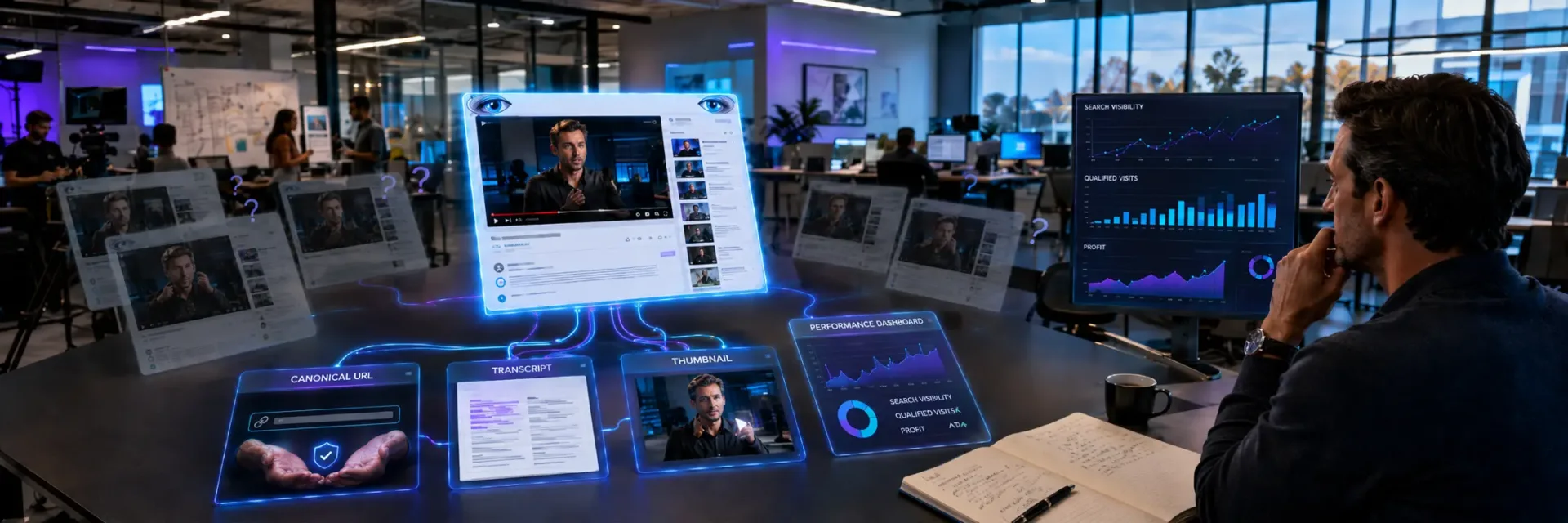
Effective video SEO gives each asset a clear canonical watch page and aligns the page topic, player, title, description, thumbnail, transcript, captions, chapters, and VideoObject markup around one search intent.
Crawlability and accessibility come before schema: search systems must be able to reach the page, player, thumbnail, and video resource.
Structured data, transcripts, captions, and video sitemaps support discovery but cannot guarantee indexing or rankings.
Performance should be measured across eligibility, search visibility, engagement, qualified visits, and downstream actions rather than views or valid markup alone.
Key Takeaways
- The canonical watch page – not the video file or third-party platform – should own the search value for an owned-page video strategy.
- Video SEO requires one aligned subject across the page, player, title, description, thumbnail, transcript, captions, chapters, and VideoObject markup.
- Accessibility and crawlability come before schema: Google must be able to reach the page, player, thumbnail, and video resource.
- Measure video SEO in stages – eligibility, visibility, engagement, and qualified action – rather than treating rankings, views, or valid markup as business results.
Video SEO is the work of helping search systems discover, understand, index, and surface a video with the page meant to represent it.
But publishing the asset does not determine which URL earns visibility, receives visits, or supports the next business action.
Many teams treat the player as the SEO asset; the harder question is which discovery surface should own the search demand.

Video SEO starts with the discovery surface you want to own
Video SEO is the work of helping search systems discover, understand, index, and surface a video with the page meant to represent it.
But publishing the asset does not determine which URL earns visibility, receives visits, or supports the next business action.
Many teams treat the player as the SEO asset; the harder question is which discovery surface should own the search demand.
Google video SEO and YouTube SEO solve different discovery problems
Google video SEO focuses on an owned page and its relationship with the video.
Search systems need access to the page, enough context to understand the video, a canonical URL they can associate with it, and a clear reason the page deserves attention.
YouTube SEO focuses on discovery inside YouTube and related platform systems.
Titles, descriptions, viewer response, channel context, and platform behavior matter there.
Those efforts can support reach, but they do not transfer ownership of a company’s canonical watch page to YouTube.
That distinction changes the first question.
It is not simply, “How do we rank this video?”
It is, “Which page should represent this video in Google Search?”
Video SEO Discovery Surfaces And Page Ownership Table
| Stage | Core question | What it establishes | What it does not guarantee |
|---|---|---|---|
| Markup validity | Does the VideoObject contain readable, consistent information? | The structured data is present and technically readable | Indexing, rankings, or a visible video result |
| Page access | Can Google inspect the canonical watch page and important resources? | The page, player, thumbnail, and related resources can be accessed and evaluated | That Google will select the page or show it for a target query |
| Search outcome | Has Google indexed the page and chosen to show the video? | The actual visibility and indexing outcome for the intended page | That the result will attract the right audience or produce a business action |
A company may publish the same asset on YouTube, a product page, a resource center, and a campaign page.
Each URL creates a different discovery signal.
Therefore, the business must decide which page should carry the search value before it spreads the asset across several locations.
The platform may host the video.
The owned page should explain its business meaning.
A canonical watch page gives search systems one primary URL to interpret.
It also gives buyers a stable place to find the surrounding offer, proof, next step, or product context.
That does not guarantee visibility.
It creates a clearer asset for Google video indexing and measurement.
Publishing a video is not the same as making it discoverable
A published video is a file or embed.
A discoverable video is part of a page that search systems can access, interpret, and connect to a useful search need.
The common myth is that an embedded player does the main work.
It does not.
Page context, video prominence, crawlability, thumbnail access, metadata, transcripts or captions, and structured data can affect how clearly the asset is understood.
A practical review starts with the watch page.
Is the video easy to find on the page?
Does the page provide useful text around it?
Can search systems reach the video and its thumbnail?
Does the canonical URL point to the intended page?
Are the title, description, duration, and upload details consistent where they appear?
Each signal answers a different question.
Video transcripts can provide text that supports understanding.
Video captions improve access for viewers and may add useful language context.
VideoObject markup can describe the asset in a machine-readable form.
A video sitemap can provide another discovery path.
But these signals cannot repair a weak page.
Structured data cannot make an irrelevant page useful.
A transcript cannot make an inaccessible video easy to crawl.
A sitemap cannot resolve a confused canonical URL.
That is where the quiet failure begins: teams optimize the video while leaving the page unclear.
Think of the video as a product sample in a store window.
The sample may attract attention, but the store still needs a clear entrance, a visible sign, and a useful place for the buyer to go next.
The watch page supplies that surrounding structure.
Therefore, video SEO is a coordinated publishing decision, not a markup task.
Content quality, page purpose, technical access, and search intent need to support the same outcome.
If they point in different directions, more metadata can create more signals without creating more clarity.
What video SEO can and cannot guarantee
Video SEO can improve the conditions for discovery.
It cannot promise Google indexing, rankings, rich results, thumbnail display, or a specific position in search.
VideoObject markup may help search systems interpret details about a video.
Video transcripts and captions may add useful context.
Video sitemaps may help expose video URLs and related information.
Thumbnails may improve how a result is presented when a search feature is available.
Still, eligibility is not selection.
A page can contain valid video structured data and receive no visible video result.
A video can be indexed without ranking for the query a team cares about.
A strong YouTube presence can generate views without making the owned watch page the result buyers see first.
The right performance question is therefore narrower: did the intended page become easier to discover and understand for the search intent it serves?
That question produces better decisions than counting every signal as a ranking lever.
It directs attention to page ownership, content fit, technical access, and the quality of the search need being served.
The practical reveal is simple: the strongest video SEO asset is rarely the video alone; it is the clear relationship between the video, its canonical watch page, and the search intent behind that page.
Once that relationship is set, the next decision is which page and technical signals deserve deeper review.

Choose the video topic and page purpose before optimizing the asset
Video SEO should begin with the question the page must answer, not with schema or a transcript.
But technical signals cannot give a recording a clear purpose.
Many teams assume every useful recording deserves its own search page; the stronger approach starts by deciding whether one focused viewer task connects the video, page, and discovery signals.
Use video search intent to define a focused subject
Video search intent is the task behind a query.
A viewer may want to learn a process, compare options, understand a problem, or see a product in use.
A keyword alone does not tell you which job the recording should handle.
Start with one clear question and test the planned video against it.
Can the speaker answer it without shifting into unrelated subjects?
Does the page title promise that answer?
Does the introduction use the same frame?
Do the video transcript, video captions, thumbnail, and VideoObject describe the same subject?
That shared subject gives Google video SEO a clearer signal.
It also makes the page easier for a buyer to assess.
The title labels the subject, the video delivers it, and the transcript makes it readable to search systems and visitors.
If each part points to a different subject, trust can fall before the viewer presses play.
One video should have one primary viewer task.
Secondary details can add depth, but they should not compete with the promised answer.
Therefore, keyword research becomes a content decision rather than a list of phrases to place across metadata.
The weak signal often looks like completeness.
Decide whether video is the main content or a supporting asset
Page purpose determines how much authority the video should carry.
If the video is the main content, the page should function as a canonical watch page.
The title, opening copy, player position, transcript, internal links, and video structured data should help the viewer understand that the recording is the central answer.
If the video supports an article, capability page, or other resource, the surrounding page carries the main subject.
The video can clarify a concept, show a process, or add proof to the written explanation.
Its role is useful but secondary.
This distinction changes more than layout.
It affects the page title, the first screen, the amount of supporting text, the internal link path, and how a search system may interpret the page during Google video indexing.
Video prominence should match the page promise.
A small supporting player should not be framed as the full answer, while a primary recording should not be buried beneath unrelated copy.
Use the primary-content model when the recording answers the main query and the page exists chiefly to make that answer watchable and findable.
Use the supporting model when the written page still makes sense without the recording and the video adds context rather than carrying the full subject.
The page role is a budget decision for attention.
Choosing the wrong role can create mixed signals.
The title may promise a focused answer while the page reads like a broad company resource.
Or the video may target a clear query while the page gives it little context.
Therefore, the technical layer should follow the role decision rather than decide it.
Do not force unrelated questions into one recording or page
A long recording can contain several useful ideas.
That does not make it one focused search asset.
If the subjects serve different viewer tasks, one transcript may become broad, one title may become vague, and one page may compete with more focused resources.
Chapters can help when the subjects belong to one clear theme and the sequence supports one main question.
Clear sections can separate steps within that answer.
But chapters do not fix a recording that changes audience, intent, or subject halfway through.
Use a separate page or asset when the next question needs a different title, introduction, thumbnail, or buyer context.
This creates clearer choices for the viewer and reduces the risk of irrelevant video transcripts, captions, structured data, or video sitemaps pointing at a mixed message.
The test is practical: if removing one topic would improve the page’s promise, that topic probably needs its own destination.
The goal is not shorter content.
It is a clearer reason to watch.
Once the subject and page role are fixed, the technical choices become easier to judge.
Video SEO is strongest when the watch page, transcript, and structured data confirm one buyer question; the next decision is how that page should be built for discovery.

Give the video one canonical watch page
Canonical ownership gives Google video SEO one URL that should represent the video.
But placing the same embed on several pages does not give search systems a clear choice.
Many teams assume any page with a playable embed can become the watch page, yet the stronger owner is the page that makes the video easy to find, understand, and use.
A suitable watch page makes the video easy to identify and watch
Start with the user’s first few seconds on the page.
Can the visitor see what the video covers, find the player, and understand its connection to the page without extra clicks or complicated interaction?
A suitable watch page gives the video clear prominence.
The player should appear in a meaningful position, supported by a descriptive title and useful page context.
Visible metadata can clarify the topic, while video captions or a transcript can make the content easier to follow and inspect.
The page does not need every related asset.
It does need to make the video easy to identify and watch.
If the player sits below unrelated content, loads only after a difficult interaction, or appears without a clear title, the page sends a weaker signal to people and search systems.
That is the first practical test.
For Google video indexing, page purpose and access matter alongside video structured data.
VideoObject markup can describe the asset, but markup cannot turn an incidental embed into a meaningful watch page.
Therefore, technical teams should review the rendered page, not just the source code.
A useful review asks three questions:
- Is the video visible?
- Is its subject clear?
- Can a visitor use it without friction?
A “no” answer does not always block discovery, but it weakens the foundation for video search visibility and can leave marketing and technical teams working from different assumptions.
A weak embedded-video page does not make the video the subject
An embedded video may be present without being central.
That distinction separates a suitable watch page from a weak one.
A page is weaker when the video merely supports another purpose, such as a broad resource, a long list of offerings, or a page filled with unrelated material.
The player may work, yet the surrounding content gives visitors no clear reason to treat the video as the main answer.
The problem is not the embed itself.
The problem is the page’s focus.
If the title, opening copy, layout, and user task point in different directions, the video becomes background material.
Search systems may then have less confidence about what the URL represents.
Visitors face the same problem in a different form: they must hunt for the asset, interpret its purpose, and decide whether it answers their need.
That friction can reduce the quality of visits reaching the page, even when the video is technically available.
The weak page often looks healthy in a content inventory.
It has a video URL, a transcript, and perhaps video structured data.
But those elements can hide a basic failure: the page does not make the video the subject.
A useful comparison is intent, not asset count.
One page may answer a focused video search intent.
Another may mention the same recording while answering a broader question.
Both can contain the player, but they should not automatically compete as equal owners.
Keep related pages from competing for the same video
One video should have one primary owner page unless related pages serve clearly different purposes.
This gives publishing, technical, and search teams a shared decision rule.
Repeated transcripts create a common risk.
If several URLs publish nearly the same recording, transcript, title, and surrounding copy, each page may look like a separate candidate for the same search demand.
A video sitemap, canonical link, and VideoObject markup can support the preferred URL, but they do not replace a clear difference in page purpose.
The safer pattern is simple: place the complete watch experience on the primary page, then give related pages a distinct job.
A campaign page may focus on a specific offer.
A resource page may organize several assets.
A support page may answer a service question.
If those pages repeat the same video experience with little added value, their signals become harder to interpret.
This is where content architecture affects video SEO.
The risk is not just duplicate text.
It is divided ownership.
Teams may update one transcript, link to another URL, and mark up a third page.
Search reporting then becomes harder to read, and internal decisions start from conflicting signals.
The owner page should therefore be the strongest answer for the video’s intended search intent.
Related pages can link to it, reference it, or use a shorter supporting treatment when their purpose differs.
They should not compete by copying the full experience without a clear reason.
The practical answer is clear: canonical ownership is earned by page purpose, prominence, and access, then supported by technical signals.
Once the right URL owns the video, the next question is which metadata and structured data can help search systems understand it.

Make the player, video resource, and thumbnail accessible to search systems
For Google’s documented video discovery and indexing guidance, see [Google Search Central’s video SEO documentation](https://developers.google.com/search/docs/appearance/video).
Video SEO depends on more than a page that loads for a human visitor.
But a visible player can still leave search systems without a reliable path to the player, video resource, or thumbnail.
The common belief is that an embed makes a video discoverable; what matters first is whether Google can reach, render, and connect those assets on the canonical page.
Check how Google can find the video on the page
Start with the canonical watch page, not the video platform.
The page should contain clear content, a working player, and signals that connect the page to the video.
The player should be available in the rendered page experience rather than appearing only after an interaction that search systems may not complete.
The video resource matters too.
Search systems may need a path to the actual video file or information about that file through the player.
If the page exposes only a blank container, a platform label, or a script with no usable output, Google video SEO has less to interpret.
The first diagnostic is simple: can a system connect the page, player, video, and thumbnail without guessing?
A video sitemap can support discovery when a site has many videos, complex page paths, or video resources that normal page links do not expose easily.
It should support the relationship between the page and its assets, not compensate for a weak watch page.
Open Graph metadata may help describe the shared page and image, but it does not replace making the video available to search systems on the page.
Therefore, test discovery in layers.
Confirm that the canonical watch page can be crawled.
Confirm that the player renders.
Confirm that the video resource and thumbnail resolve.
Then check whether the page makes the video’s subject clear through visible content, its title, and a supporting transcript or captions where relevant.
Avoid access failures caused by blocked resources or complicated rendering
Most technical failures follow a simple pattern: the page works in a browser, but one important part does not work for a crawler.
A blocked thumbnail can weaken the video result.
A blocked player can prevent reliable understanding.
A blocked video file can limit access to the asset itself.
JavaScript adds another risk.
A page may load an empty player shell first, then fetch the real player after several scripts run.
That setup can work for a user with a full browser.
But if rendering is delayed, restricted, or dependent on an action, search systems may see less than the visitor sees.
The fix is not to remove every script.
It is to reduce the number of assumptions between the page and the video.
Keep the canonical page indexable.
Make key player and image resources reachable.
Check that robots rules, access controls, redirects, and content delivery settings do not block them.
A useful review follows the visitor path in plain order:
- Can the page load without a login or special permission?
- Can the player appear without a required click or hidden state?
- Can the thumbnail URL resolve consistently?
- Can the video resource be reached by the systems that need it?
- Can the rendered page connect the video to its subject?
If one answer is no, the issue is discovery or access – not schema.
Adding video structured data to a page that hides the player does not repair the missing resource.
A successful page load can hide the real failure.
Treat rendering as a handoff between the page and the search system.
The page presents the player, the player points to the video, and the thumbnail gives the video a stable visual identity.
A break at any point can leave Google with an incomplete view of the asset, which limits the page’s ability to support acquisition and qualified discovery.
Use a stable, representative thumbnail
A thumbnail should identify the actual video and remain available at a stable URL.
It should not change with every upload, session, or campaign variation.
A search system needs a dependable image reference, and the team needs to know which image belongs to which video.
Choose an image that matches the video’s subject and page promise.
If the page explains a product setup, the thumbnail should not suggest a separate topic.
If the recording answers a specific buyer question, the image should support that context rather than create a different expectation.
This is not a promise of higher rankings or more clicks.
It is a consistency decision.
A stable, representative thumbnail helps keep the page, video resource, and visual result tied to the same meaning.
Check the image path as part of every technical review.
Look for blocked files, broken redirects, expiring URLs, inconsistent protocol use, and image changes that leave old references unusable.
Keep the thumbnail available to crawlers and consistent with any page-level metadata that describes the video.
The practical payoff is a cleaner indexing signal.
When the canonical watch page, accessible player, video resource, and thumbnail point to one clear asset, Google has fewer gaps to resolve.
That gives video SEO a sound discovery layer before VideoObject or other video structured data enters the discussion.
The real failure is rarely the absence of a player alone; it is the missing link between the player, resource, image, and page.
Once those links work, the next decision is what structured data should confirm about the video.

Align the page, video, and metadata around one subject
Video SEO depends on one clear subject signal across the page, recording, and metadata.
But consistency is more than repeating a keyword in every field.
If the page, video, and supporting elements make different promises, can any single title or schema field restore user trust and clear video search intent?
Write titles and descriptions that match the page and recording
The page title, H1, video title, description, introduction, and thumbnail should point to the same subject and search intent.
They do not need identical wording, but they do need a shared promise.
A page about choosing video hosting should not place a recording about video captions above the fold, even if both topics use related terms.
The introduction should state what the recording covers.
The video title should make that promise plain.
The description should add useful detail rather than repeat the title line by line.
The thumbnail has a different job.
It earns the click through a clear visual cue, but it should not promise a topic the recording does not address.
If the page answers one question and the thumbnail suggests another, the first impression is already broken.
The weak signal often looks polished.
A useful review asks four questions:
- Does the page title match the page purpose?
- Does the video title match the recording?
- Does the introduction set the same expectation?
- Does the thumbnail support that expectation without overstating it?
If one answer is no, changing the keyword treats the symptom rather than the subject mismatch.
The business cost is practical.
A mismatch can attract the wrong visitor, reduce trust before the play begins, and make performance data harder to read.
Therefore, judge video SEO by subject consistency before judging it by keyword coverage.
Use transcripts and captions for accuracy, access, and comprehension
Video transcripts and video captions support different needs.
A transcript gives people a readable record of the recording.
Captions provide timed text during playback, including the words a viewer needs to follow the audio.
Neither should be written as a keyword container.
A transcript that adds claims the speaker never made may create a stronger text signal on paper, but it weakens the page’s connection to the actual video.
Edited summaries can help scanning, yet they should be presented as summaries rather than as the recording itself.
Accuracy has several parts.
The words should match the recording.
Captions should stay synchronized with speech.
Speaker changes, important sounds, and technical terms should be handled clearly when they affect comprehension.
These details support access, but they also give users a more reliable way to assess the video before watching it.
What does the written layer reveal that the player hides?
It can reveal whether the recording answers the page’s question at all.
It can show missing sections, unclear terms, or a title that promises a narrower answer than the video delivers.
Therefore, review the transcript against the page introduction and video description, then correct the source content or the page promise.
Do not force them into agreement through extra copy.
Written content helps Google video indexing only when it remains credible evidence of the recording’s subject.
It supports comprehension and access first.
Its search value depends on that foundation.
Use chapters and Key Moments when the recording supports them
Chapters can make a long recording easier to scan.
They give viewers a time-based map of the discussion and help them decide where to start.
Key Moments may support discovery when the recording has clear, useful points that can be represented accurately.
But chapters should follow the recording’s real structure.
Do not create labels for topics that receive no meaningful treatment.
Do not split a short thought into many time markers to make the video appear more detailed.
The time labels, chapter names, transcript, and spoken content should tell the same story.
Chapters are signposts for the discussion.
They help people choose where to start, but they cannot add a destination the recording never reaches.
Use chapters when they improve a viewer’s decision to watch.
Skip them when they add clutter or suggest coverage the recording does not provide.
The same rule applies to Key Moments: they may support discovery, but no search feature should be treated as guaranteed.
Therefore, ask whether a viewer would recognize each label while watching the recording.
If yes, the structure can support access and video search intent.
If no, the labels become another source of mismatch.
The strongest video SEO signal is a shared subject, not repeated wording.
Once the page, recording, transcript, captions, chapters, thumbnail, and video structured data describe the same accessible resource, the next decision is whether Google can identify and use every supporting signal.

Use VideoObject markup to describe a real, watchable video
VideoObject markup gives Google structured information about a video published on a page.
But schema alone does not make a player visible, accessible, or useful to visitors.
Treating markup as a substitute for a real watchable asset can create a technical signal that the page cannot support.
Choose VideoObject properties that reflect the published asset
Each VideoObject property should describe the published recording, not an ideal version of it.
The `name` should identify the video clearly.
The `description` should explain its subject in language that fits the page and recording.
The `thumbnailUrl` should point to the image users associate with that video.
The remaining values describe the asset and its delivery:
- `uploadDate` records the publication date used for the video.
- `duration` states the length of the recording when that value is known.
- `embedUrl` can identify the player or embed endpoint used on the page.
- `contentUrl` can identify the video resource itself when the publishing setup exposes one.
These properties do different jobs.
A player URL is not the same as a media URL, and a thumbnail is not a substitute for either one.
Therefore, the publishing team should confirm which URLs exist, which users can access, and which value belongs in each field before adding markup.
The practical rule is simple: describe the asset you publish, not the asset you planned to publish.
That keeps the markup useful for Google video indexing and reduces avoidable confusion about which resource the page represents.
Match structured data values to what users can see and access
A useful check compares the page, player, video resource, thumbnail, and VideoObject values side by side.
The page should make the video discoverable to a visitor.
The player should load through the expected access path.
The thumbnail should represent the recording.
The `name`, `description`, `uploadDate`, and `duration` should fit what the page and video show.
The same check applies to supporting content.
A transcript or summary can give users a clearer path into the recording.
Video captions can improve access for people who watch without sound.
But neither one proves that the marked-up video exists or that users can play it.
Ask one practical question: if a reviewer removed the JSON-LD and looked only at the page, would the marked-up video still be clear?
If the answer is no, the page may be carrying a structured claim that its visible content does not support.
That gap can weaken trust in the page’s signals.
It can also make Google video indexing harder to interpret when the player, media resource, and metadata point in different directions.
Therefore, review structured data as part of page quality control, not as a separate code task.
Do not mark up a video that users cannot watch
VideoObject markup should describe a real video available to users on the page.
Do not add it for a placeholder, a removed recording, a player hidden behind an access failure, or a video that exists only in a content plan.
Markup that describes content absent from the page creates a mismatch at the point where clarity matters most.
Access problems need the same care.
A player may appear in source code yet fail for visitors.
A video resource may require a blocked request.
A thumbnail may load while the recording does not.
In each case, the presence of a URL does not prove that the video is watchable.
What happens when the recording changed but the markup did not?
The page may still name an old video, show the wrong duration, or point to a thumbnail from another asset.
That is a quiet failure: the code looks complete while the published experience says something else.
A safer review asks three things: Is there a real recording?
Can the intended visitor reach it?
Do the page, player, resource, thumbnail, transcript or summary, and VideoObject values describe the same asset?
If any answer is no, fix the publishing setup first.
The decision lens is clear: VideoObject helps describe a watchable video; it cannot create one.
Once that condition is met, the next question is how discovery signals such as video sitemaps support Google’s path to the page and asset.

Choose hosting and embed options around the page you need to own
Video SEO hosting choices shape how people reach a video and which page can earn search value.
But a platform with a large built-in audience is not automatically the right home for the business outcome.
Treating hosting as the source of Google video indexing misses the real decision: whether the embed and platform setup protect the canonical watch page’s visibility, access, and usefulness.
Evaluate YouTube, Vimeo, Wistia, and self-hosting as tradeoffs
Each option solves a different publishing problem.
YouTube may support discovery on a large video platform and give teams a separate audience channel.
Vimeo may fit a presentation-led experience.
Wistia may suit teams that want video publishing tied closely to a company site.
Self-hosting may offer more control over the player, files, and page experience.
Those are decision criteria, not universal rankings.
The right choice depends on what the video must do.
If the goal includes YouTube SEO, the platform presence may need its own title, description, captions, and audience plan.
If the goal is to make a product page or resource page the search destination, the company must protect that page as the canonical watch page.
The same video can support both goals without giving both URLs the same job.
One platform presence can attract platform discovery.
One owned page can carry the business context, internal links, calls to action, transcript, and VideoObject markup.
Treating them as separate publishing surfaces makes ownership and measurement clearer.
A useful comparison asks six questions:
- Who should own the primary viewing experience?
- How much control does the team need over the embed and player?
- Can the page expose the video resource and thumbnail in a way search systems can access?
- Can the team publish video captions and video transcripts where buyers need them?
- Does the platform support the business or content goal without pulling attention away from the owned page?
- What technical access will the team have if the page, player, or search plan changes?
More platform reach can create more places to manage.
More control can create more technical responsibility.
Therefore, video hosting is a business choice about ownership, access, and operating effort – not a shortcut to rankings.
The host is the container.
The owned page is the address buyers should remember.
Keep the owned page and platform presence conceptually separate
A third-party video page and an owned watch page can describe the same recording, but they do not carry the same commercial purpose.
The platform page may support audience discovery.
The owned page should answer the searcher’s need and give the business a stable place to build context.
That distinction changes how teams approach YouTube SEO.
A title and description on YouTube can help people understand the video on YouTube.
They do not replace the page title, visible introduction, video transcript, captions, internal links, or structured data on the owned URL.
The buyer may find the platform video first.
The company still needs a clear destination for the next decision.
Can the viewer learn what the video covers?
Can they watch it without hunting for the player?
Can they find related information or take the next business step?
If those answers exist only on the platform, the owned page carries too little commercial weight.
This is where video prominence matters.
A video buried below a long block of unrelated copy sends a weaker page signal than a page that introduces the video clearly and places it where the visitor expects it.
The page does not need to focus on video alone, but the video should be a clear part of the page’s purpose.
The platform can extend reach.
It cannot define the role of your page.
For Google video SEO, keep the signals distinct but consistent.
The platform presence can use its own publishing format.
The owned page should describe the same subject in its own context, use one preferred URL, and provide enough visible information for people and search systems to understand what they will find.
Review embed access before treating hosting as an SEO decision
An embed can look perfect in a browser and still create a weak search setup.
The review must begin with access:
- Can the player render for visitors?
- Can search systems reach the video resource?
- Is the thumbnail available?
- Does the page expose the video near the main content?
- Does the embed remain usable on the canonical watch page?
These questions separate a hosting preference from an SEO decision.
A player that depends on blocked scripts, delayed rendering, or an inaccessible resource may leave the page harder to interpret.
A thumbnail that does not load reliably can weaken the visual entry point.
A video placed far below the useful page content may reduce its prominence for visitors.
Before choosing an embed approach, inspect the full path from page load to playback.
Review the HTML or rendered page, confirm that the player appears where intended, check the video resource and thumbnail access, and verify that the page still communicates its subject without relying on the player alone.
This is a technical review, but its outcome is commercial: buyers should not meet a blank space where the decision-making asset belongs.
A practical test is simple: remove the platform brand from the evaluation.
Would the owned page still make sense, describe the video accurately, and help the visitor decide what to do next?
If not, the embed is carrying too much of the page’s meaning.
That is the hidden cost of a convenient host.
The platform may simplify publishing while leaving the owned page with less control, less context, or less visible prominence.
The best hosting choice is therefore the one that protects the page you need searchers and buyers to find.
Once that page has a reliable player, accessible resources, and a clear role, the next question is how its transcript and captions turn viewing content into discoverable page value.

Validate video indexing before judging performance
Use Google Search Central’s video SEO documentation as the first-party reference when confirming the article’s implementation and indexing guidance.
Video SEO performance should be judged only after the intended watch page, player, thumbnail, and supporting signals can be found and understood by Google.
But a page can pass a markup test and still fail to earn a video result or attract the right search intent.
Many teams treat weak visibility as weak demand, yet the first task is to find which implementation or indexing condition broke before judging the business outcome.
Use a prepublication video SEO quality check
Prepublication video SEO quality check:
- Confirm that the page states what the video answers, who it serves, and which search intent it meets.
- Verify that the intended canonical watch page is clear, accessible, and distinct from duplicate pages.
- Check that the player loads for visitors, appears prominently, and remains usable without a fragile interaction.
- Review crawlability and rendering for the page content, player elements, and video resources.
- Inspect the thumbnail and video file paths separately for blocking, instability, or access problems.
- Compare the page, recording, transcript or captions, and VideoObject so they describe the same video and subject.
Run the review in sequence.
Start with the subject: the page should make clear what the video answers, who it serves, and which video search intent it meets.
A relevant video on an unfocused page gives search systems less reason to connect the asset with a specific query, which can weaken acquisition quality even when the recording itself is strong.
Next, confirm page ownership.
The intended canonical watch page should be clear, accessible, and distinct from duplicate pages that reuse the same video.
If several URLs compete to represent one recording, performance data can point to the wrong page or split attention across pages.
Then inspect the viewing experience.
The player should load for visitors, appear prominently on the page, and remain usable without a fragile interaction.
Video prominence matters: a video placed below unrelated content sends a weaker page-level signal than one that directly supports the page subject.
The order matters.
A perfect thumbnail cannot rescue a page search systems cannot access.
Check crawlability and rendering next.
Review whether key page content, player elements, and video resources appear after rendering.
A page that looks complete in a browser may still expose incomplete signals if important content depends on JavaScript or unstable resources.
Inspect the thumbnail and video file paths separately.
Blocked thumbnails can limit how the video is represented.
Blocked video files or inaccessible players can limit what search systems verify.
Treat each resource as its own access point rather than as one technical detail hidden inside the embed.
Finally, compare the page, recording, and markup.
Titles, descriptions, thumbnails, duration, transcript or caption content, and the VideoObject should describe the same video and subject.
Video transcripts can support page understanding, but a transcript does not replace a clear page purpose or a working player.
Valid video structured data does not mean the video is ready for Google video indexing.
Markup describes the asset; it does not repair a blocked resource, duplicate page ownership, or irrelevant search intent.
Use the review to answer one practical question: if the page were inspected without the marketing team’s context, would its subject and video ownership still be obvious?
If not, publishing first and diagnosing later creates noisy performance data and makes conversion quality harder to judge.
Use Rich Results Test and URL Inspection for validation
Video SEO Validation Stages Table
| Discovery surface | Primary purpose | Relevant signals | Ownership role |
|---|---|---|---|
| Owned canonical watch page | Represent the video in Google Search and support the buyer’s next action | Page context, canonical URL, crawlability, prominence, transcript or captions, thumbnail, VideoObject | Primary owner of the video’s search value and business context |
| YouTube page | Support discovery within YouTube and related platform systems | Title, description, viewer response, channel context, platform behavior | Platform presence that can extend reach but does not replace the owned watch page |
| Campaign, resource, or support page | Serve a distinct offer, organization, or service-related purpose | Distinct page context, relevant links, and a supporting treatment of the video | Related page that can reference the video without copying the full watch experience or competing for ownership |
Rich Results Test and URL Inspection answer different questions.
Use Rich Results Test to inspect whether supported structured data is present and readable.
Use URL Inspection to examine how Google accesses and evaluates a specific page.
Neither tool guarantees indexing, rankings, or a video search feature.
A successful test is a clean technical signal, not a promise of search visibility.
Therefore, record the result as one checkpoint in the review rather than treating it as the final verdict.
A useful test record separates three states:
- Markup validity: Does the VideoObject contain readable, consistent information?
- Page access: Can Google inspect the intended canonical watch page and its important resources?
- Search outcome: Has Google indexed the page and chosen to show the video?
These states can diverge.
A page may have valid markup but lack an accessible thumbnail.
It may be accessible but fail to earn a video result for the target query.
It may show a video result while attracting visitors with the wrong intent.
Validation proves that the inputs are available; indexing and visibility show what search systems did with those inputs.
Keeping those stages separate protects the team from changing titles, hosting, or budgets to fix a problem that began with access.
Diagnose indexing failures by failure mode
Use Google Search Console video indexing diagnostics to sort the issue before changing the strategy.
Start with the page, not the keyword.
If the page is nonindexable, blocked by access rules, marked incorrectly, or excluded for another page-level reason, video-specific changes may have little effect.
If the page can be accessed, inspect the video resources.
A blocked thumbnail can weaken the video’s search presentation.
An inaccessible player can prevent a usable viewing experience.
A blocked video file can limit resource access.
Each issue needs its own check.
JavaScript adds another point of failure.
If the player, thumbnail, metadata, or transcript appears only after scripts run, confirm that rendered output contains the information search systems need.
Unstable resources can create a similar problem: the page may work during one visit and fail during another inspection.
The page can load and still send mixed signals.
Compare the visible title, description, thumbnail, transcript or captions, and VideoObject fields.
Mismatched metadata can make the video seem less relevant to the page subject.
A video that does not serve the page’s search intent can remain technically available yet provide little reason for a search result.
Duplicate ownership requires a separate decision.
If the same video appears on several pages, choose which canonical watch page should represent it.
Then review whether the other pages have a distinct purpose or simply repeat the same asset and supporting text.
Find the first broken link rather than testing every fix at once.
Until implementation, indexing, visibility, and visitor response are separated, a team cannot tell whether it has a demand problem, a page problem, or an access problem.
The first performance judgment should come only after the intended page and video can be found and understood.
Then the harder business question becomes visible: does that search visibility produce the right buyer action, or merely more traffic?

Measure whether video SEO supports the page’s intended action
Video SEO measurement should show whether a video supports the page action it was given.
But rankings, views, and valid technical checks can look healthy while the right visitors do nothing next.
The useful question is not whether the video generated activity, but whether its signals connect search visibility to meaningful page behavior.
Separate technical eligibility from search visibility
Technical eligibility is a gate, not a result.
The intended canonical watch page should be indexable, the player should be available to visitors and search systems, and the video resource and thumbnail should be accessible.
Video structured data, video transcripts, video captions, and video sitemaps can support discovery and understanding when they describe the real page and video.
But a valid implementation does not prove search visibility.
A page can contain valid VideoObject markup and still fail to earn a video result.
Google video indexing, page indexing, and video search features are related signals, not interchangeable outcomes.
That distinction prevents a common reporting error: treating setup as performance.
Use technical checks to answer narrow questions:
- Can Google find the canonical watch page?
- Can it identify the video on that page?
- Does Search Console report an avoidable issue?
- Is the video prominent enough for a visitor to understand its purpose?
These checks show whether the page is eligible for evaluation.
They do not show whether it was discovered, selected, watched, or acted on.
A simple scorecard can separate the stages:
- Eligibility: The page, player, video resource, thumbnail, and supporting markup can be accessed and understood.
- Visibility: The page or video appears for relevant searches or receives impressions from the intended search surface.
- Engagement: Visitors start or complete the video, or continue reading the page.
- Action: Qualified visitors take the next step the page was built to support.
The first stage removes avoidable barriers.
The later stages show value.
Measure relevant video starts, completions, and qualified visits
Video SEO performance signals to measure:
- Relevant video starts from visitors with the intended search intent.
- Completion or meaningful watch progress.
- Visits to related pages after viewing.
- Qualified visits from Google video SEO or other search surfaces.
- Leads influenced by the page and the next action the video is meant to prompt.
Video starts matter only in context.
A start may show that the player earned attention, but it does not show that the viewer watched enough to gain the intended answer.
A completion may be useful for an educational video, yet less relevant for a short product explanation where the page action matters more.
Therefore, measure the behavior that matches the video’s job.
Useful signals may include:
- Video starts from relevant page visitors
- Completion or meaningful watch progress
- Visits to related pages after viewing
- Qualified visits from Google video SEO or other search surfaces
- Leads influenced by the page
- The next action the video is meant to prompt
Do not treat these as one blended number.
Each answers a different question.
Starts show initial interest.
Completions show sustained attention.
Qualified visits show whether discovery brought the right audience.
Leads and next actions show whether the page helped move a business process forward.
The weak signal often looks like a win.
A video may attract many starts from visitors who leave without reading, clicking, or contacting the company.
Another video may receive fewer starts but help the right visitors understand a complex offer and continue to a relevant page.
The second result may better support customer acquisition, even if the first receives more views.
Video SEO measurement should therefore connect the search signal to page behavior.
Compare the search intent with the action that follows.
If the video answers a focused question, inspect whether viewers continue into deeper content.
If it supports a buying decision, inspect qualified visits, lead activity, or the next page reached after viewing.
This does not require claiming that the video caused every later action.
It requires a clear view of where the video appears in the path and which signals are strong enough to guide a decision.
Review the measurement model when the video purpose changes
The right success measure depends on the role assigned to the video.
A video built to answer a question may be judged by relevant starts, watch progress, and continued page use.
A video built to support a product page may be judged by qualified visits, lead activity, or movement to a next action.
The same metric can change meaning when the purpose changes.
A high completion rate may be useful for a short explainer.
It may be less useful for a long demonstration if the desired action can happen before the final frame.
A rise in traffic may matter for discovery, but it says little about lead quality without a connection to page behavior.
What should change first: the video, the page, or the measurement model?
Start with the intended action.
Then select the smallest set of signals that can show whether the video supports it.
Review that model when the search intent changes, the page gains a new role, the call to action changes, or the video moves to another canonical watch page.
Keep technical eligibility in its own view.
Keep visibility separate from engagement.
Keep engagement separate from commercial action.
Video SEO is working when the evidence matches the page’s purpose: technical signals make evaluation possible, visibility brings relevant people, and user behavior shows whether the page helped.
That lens reveals the real payoff – and raises the next question: how should the broader content system use those signals to improve future pages?

Know when video SEO is not the right starting point
Video SEO should begin with a readiness check, not a metadata checklist.
But video structured data can make an unready page appear finished.
The harder question is whether the page gives Google and the buyer a clear video to understand, access, and use.
Resolve content and page-purpose problems before adding metadata
Start with the subject.
A recording without a clear subject gives the page no strong search purpose.
It may mention several themes, answer no focused question, or repeat a discussion that belongs in a broader resource.
The common myth is that a transcript, title, or VideoObject markup can create relevance on its own.
They cannot.
These elements describe content that already has a purpose; they do not give an unfocused recording a useful answer.
A simple test helps: can an executive state what the video answers in one sentence?
If the answer is vague, the page likely needs editorial work before Google video SEO work.
The title, visible page copy, video captions, video transcripts, and player should point to the same subject without forcing the reader to decode the connection.
The page also needs a clear job.
A product page, research page, support page, and dedicated watch page may each use video differently.
A video search result that leads to a page with no useful context can create a poor visitor experience, even if Google can understand the video.
That is the first decision gate.
If there is no useful answer, no focused page purpose, or no suitable canonical watch page, pause the metadata work.
Improve the content and page relationship first.
Therefore, the team spends effort on an asset that can support discovery and action instead of polishing signals around unfocused content.
Fix access, duplication, and consistency risks before seeking visibility
A ready topic can still fail at the technical layer.
The player may be inaccessible.
Key resources may be blocked.
The intended page may be nonindexable.
A thumbnail may change or fail to load.
Each issue can weaken Google video indexing even when the page looks fine in a normal browser.
Check the full path a search system needs to understand the asset: the page, player, video resource, thumbnail, and supporting text.
A visible player is useful to a person, but visibility alone does not prove that the required resources can be found or processed.
Duplication creates a second risk.
The same video may appear on several pages, each with similar titles, transcripts, and metadata.
Without a clear canonical watch page, the site gives search systems several competing interpretations of ownership.
Repeated video transcripts can add duplication without adding value.
The mismatch can be quieter.
A transcript may omit important speech or state something the recording does not say.
Schema may describe a different title, thumbnail, duration, or page relationship.
The page may promise one subject while the recording covers another.
The dashboard may show valid markup.
The buyer still sees a broken promise.
A practical review should ask four questions:
- Can the intended page be indexed?
- Can the player and video resources be reached?
- Does the thumbnail remain reliable and accurate?
- Do the page, recording, transcript, captions, and structured data describe one asset and subject?
A “no” answer is a repair signal, not a ranking mystery.
Fix the access, duplication, or consistency issue before adding more video sitemaps, schema, or promotional effort.
Therefore, visibility work starts with a clean signal that can survive both search processing and human review.
Treat AI-search visibility as an emerging consideration, not a core guarantee
Google AI Overviews, ChatGPT, Perplexity, answer engine optimization, and other AI-generated search experiences may change how people discover information.
They deserve review, but they should not replace the fundamentals of Google video indexing.
The temptation is to optimize for an uncertain surface first.
That can pull attention away from the basics: a focused subject, a useful page, an accessible player, accurate supporting content, and a clear canonical watch page.
AI systems may use available content in different ways, but no speculative tactic can repair a page that lacks a reliable answer.
The stronger approach is to build content that remains understandable across search experiences.
Use video transcripts and captions to support access and comprehension.
Keep page copy specific.
Describe the real recording with video structured data.
Treat any exposure in an AI-generated answer as a possible result, not a promised channel.
That distinction protects the budget.
Established video SEO requirements can be checked and repaired.
AI-search visibility remains less predictable, so it belongs in review and testing rather than in the core guarantee.
The readiness question is clear: if the video lacks a focused answer, usable page, accessible resources, or consistent signals, video SEO is not the next move.
Repair those conditions first; only then can search visibility become a meaningful business signal rather than a polished proxy for unfinished work.

Scientific context and sources
The sources below provide authoritative and research-backed context for how search systems represent and discover video, how timed text supports access and navigation, and how semantic relevance affects video retrieval.
- Structured data describes video features but does not replace a usable page
“Video (VideoObject, Clip, BroadcastEvent) Structured Data” – Google Search Central – Google
Google documents how VideoObject properties such as name, description, thumbnailUrl, duration, contentUrl, and embedUrl describe a video on a watch page, supporting the distinction between machine-readable structured data and the underlying accessible, watchable video experience.
https://developers.google.com/search/docs/appearance/structured-data/video - Video sitemaps support discovery when page relationships and resources are clear
“Video Sitemaps and Alternatives” – Google Search Central – Google
Google explains that video sitemaps connect videos with their hosting pages, titles, descriptions, thumbnails, media or player locations, and require referenced resources to be accessible to Googlebot and relevant to the host page.
https://developers.google.com/search/docs/crawling-indexing/sitemaps/video-sitemaps - Timed text supports captions, chapters, descriptions, and metadata
“WebVTT: The Web Video Text Tracks Format” – Gary Katsevman, Editor – World Wide Web Consortium
The W3C specification defines WebVTT for time-aligned captions, subtitles, text video descriptions, chapters, and metadata, supporting the distinction between captions, transcripts, chapters, and other timed navigation information.
https://www.w3.org/TR/webvtt1/ - Richer descriptions can improve semantic video-text retrieval
“ELIOT: Zero-Shot Video-Text Retrieval through Relevance-Boosted Captioning and Structural Information Extraction” – Xuye Liu, Yimu Wang & Jian Zhao – Proceedings of NAACL 2025 Student Research Workshop, 381-391 (2025)
This study shows that enriched captions and structured extraction of salient video information can improve zero-shot video-text retrieval, supporting accurate, subject-focused written descriptions rather than treating video text as a container for keywords.
https://aclanthology.org/2025.naacl-srw.37/ - Video retrieval performance depends on relevance feedback
“Improving Video Event Retrieval by User Feedback” – Maaike de Boer, Geert Pingen, Douwe Knook, Klamer Schutte & Wessel Kraaij – Multimedia Tools and Applications, 76, 22361-22381 (2017)
This study finds that relevance feedback at both concept and video level improves video-event retrieval compared with no relevance feedback, reinforcing the broader principle that retrieval quality should be judged by relevance to the intended query rather than raw activity alone.
https://link.springer.com/article/10.1007/s11042-017-4798-3
Questions You Might Ponder
What is video SEO?
Video SEO is the process of helping search engines discover, interpret, index, and surface a video through the page intended to represent it. The core implication is that the video alone is not the primary SEO asset; the canonical watch page, accessible player, supporting text, thumbnail, and metadata must work together.
What is the difference between video SEO and YouTube SEO?
Video SEO targets visibility for an owned page in Google Search, while YouTube SEO targets discovery within YouTube and related platform features. A YouTube upload can expand reach, but it does not automatically make YouTube the canonical business destination. Companies should decide which URL owns search value before distributing the same video elsewhere.
How do you make a video rank on Google?
Create one focused watch page with a clear title, prominent player, accessible thumbnail and video resource, accurate transcript or captions, consistent page copy, and valid VideoObject markup. These actions improve discovery and interpretation, but they cannot guarantee indexing, video features, rankings, or a specific search position.
Do video transcripts help SEO?
A video transcript can improve accessibility, comprehension, and the amount of visible context surrounding a recording. Its SEO value depends on accuracy and subject alignment. A transcript should reflect what the video actually says, support the page’s search intent, and clarify the recording rather than add unrelated keywords or unsupported claims.
Do you need a video sitemap for video SEO?
A video sitemap is useful when a site has many videos, complex discovery paths, or resources that normal crawling may not expose efficiently. It should reinforce the relationship between the canonical page, player, thumbnail, and video file. It cannot repair a blocked resource, duplicate ownership, or an unfocused watch page.