What You’ll Learn
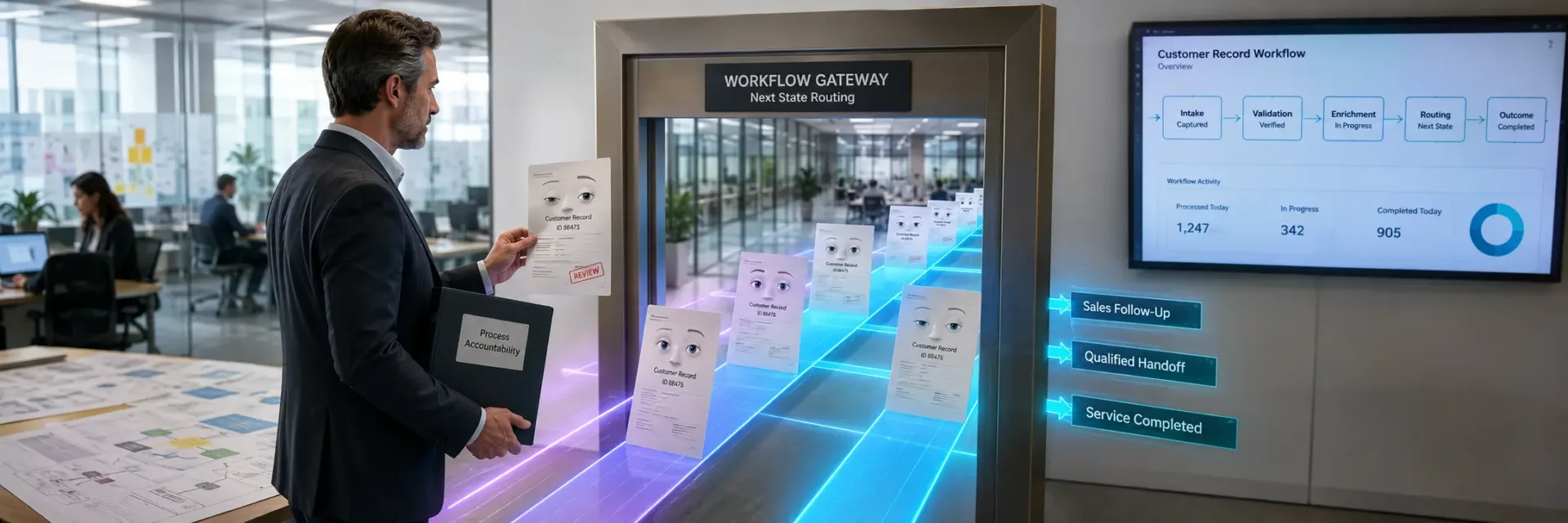
HubSpot workflow ownership is accountability for the business outcome an enabled workflow is meant to produce, not simply responsibility for building, editing, or administering it.
Every active workflow should have a named owner who can explain its purpose, intended enrollment, expected next state, dependencies, exceptions, and continued relevance.
Strong ownership includes reviewing workflow rules, resolving errors, routing exceptions, and deciding when automation should be revised, paused, consolidated, or retired.
Workflow audits should measure whether the correct records enter and reach the intended business outcome rather than relying on run counts or completed actions.
Quarterly reviews should confirm ownership, performance evidence, remediation responsibilities, dependencies, and an explicit lifecycle decision for each workflow.
Key Takeaways
- HubSpot workflow ownership belongs to the person accountable for the workflow’s business outcome, not necessarily its creator, editor, or administrator.
- Every enabled workflow needs a named owner responsible for rules, exceptions, errors, relevance, dependencies, and retirement decisions.
- A useful workflow audit evaluates intended enrollment and next-state outcomes instead of relying only on run counts, completed actions, or enabled status.
- Quarterly reviews should produce current ownership records, evidence of performance, assigned remediation, and an explicit decision to retain, revise, pause, consolidate, or retire each workflow.
HubSpot workflow ownership means accountability for the business outcome an enabled workflow is meant to produce.
The risk is not only that a workflow fails; it is that it runs correctly while producing the wrong next step.
The person who builds, edits, or administers a workflow is not always the person who should answer for its result.
If a workflow enrolls the right records yet creates the wrong next step, its owner is the person accountable for the process – not simply the person with access.

What HubSpot workflow ownership actually means
The accountable owner owns the intended business result behind the workflow.
That may mean moving a qualified contact to the next sales step, assigning follow-up work, updating lifecycle data, or removing a record from a process when its status changes.
The accountable owner is responsible for the workflow’s business result
The owner does not need to build every action.
The owner does need to answer four practical questions:
- What process does this workflow support?
- What should happen after enrollment?
- Which exceptions need human review?
- What would make the workflow irrelevant?
That distinction changes how teams manage automation.
A workflow can enroll records, complete actions, and show no visible error while still sending the wrong signal, creating the wrong task, or moving a record into an outdated process.
The first ownership decision is therefore not who has access.
It is who can recognize a bad outcome and act on it.
This is where HubSpot workflow governance becomes practical.
An owner reviews workflow outcomes, checks whether enrollment still reflects current rules, and watches for exceptions that the original design did not cover.
If workflow errors appear, the owner helps decide whether the problem is technical, procedural, or caused by a change in the business process.
A workflow is like a standing instruction to a team.
The person who typed the instruction may differ from the person responsible for its effect.
If the instruction keeps running after the process changes, technical accuracy can still produce business damage.
The myth is simple: a workflow is owned by the person who created it.
That may be true for a small task, but it fails once the workflow affects sales follow-up, marketing qualification, customer communication, or reporting.
The better rule is sharper: the owner is accountable for the next state, not the last edit.
Creator, editor, approver, administrator, and owner are different roles
HubSpot Workflow Roles And Responsibilities Table
| Status | Definition | Governance implication |
|---|---|---|
| Active | Enabled and tied to a current process and accountable owner | Confirm continued relevance, enrollment accuracy, outcomes, and dependencies |
| Inactive | Disabled with a documented reason and review decision | Retain the reason and confirm whether further revision, archiving, or retirement is needed |
| Unused | Retained in HubSpot without a clear current purpose or recent use | Review purpose, dependencies, owner, and retirement condition before removing it |
| Unknown | Missing enough information to confirm purpose, owner, or impact | Assign investigation and a decision owner rather than treating silence as approval |
| Inherited | Transferred from another person or team without confirmed accountability | Complete an ownership handoff and review logic, dependencies, exceptions, and outcomes |
Workflow roles often get collapsed into one name.
That creates confusion during changes, audits, and failures.
A creator builds the first version.
An editor changes logic or actions.
An approver decides whether the change should go live.
An administrator manages access, settings, or platform controls.
The owner carries a different obligation.
That person answers whether the workflow still supports the process and whether its output can be trusted.
One person may hold several roles, but the responsibilities remain distinct.
For example, a HubSpot admin may have permission to edit a workflow without owning the sales process it supports.
A RevOps team may approve a change without owning the commercial outcome.
A subject matter expert may define the business rule without having technical access to implement it.
But separating the roles does not require a large approval chain.
It requires clear decision rights.
A useful workflow record should identify the accountable owner, technical editor, approval authority, affected process, dependencies, and review trigger.
That makes a HubSpot workflow audit more useful than a simple check of whether the automation is active.
Ask one question during review: if this workflow produced the wrong result tomorrow, who would have the authority and knowledge to correct the process?
If the answer is a shared inbox, a former employee, or a general department, ownership is still missing.
Access tells you who can change the workflow.
Ownership tells you who must decide whether it should change.
How small teams can assign ownership without dedicated RevOps
Small teams can assign workflow ownership without creating a separate RevOps function.
The owner should usually sit closest to the business process, even if that person also creates, edits, or administers the workflow.
A sales operations lead may own a lead assignment workflow.
A marketing manager may own a qualification workflow.
A customer success leader may own an onboarding workflow.
These are role patterns, not fixed titles.
The right choice depends on who controls the process, understands the intended outcome, and can approve a change when conditions shift.
One person can hold every role in a small team.
That is acceptable when the record makes the accountability visible.
The risk begins when everyone assumes someone else is watching workflow relevance, dependencies, exceptions, and retirement.
Start with the workflows that affect customer movement, revenue activity, data quality, or repeated staff work.
Give each one a named owner and a plain-language statement of its intended result.
Record what should trigger review, what changes could make the logic stale, and who can retire it when the process ends.
That simple record creates a workable form of CRM automation governance.
It also gives future editors enough context to avoid treating old logic as current policy.
HubSpot workflow ownership is therefore a decision right tied to workflow outcomes, not a permission attached to a user account.
Once that owner is named, the next question is whether the workflow’s logic still deserves to run.

The four responsibilities every HubSpot workflow owner carries
Four responsibilities of a HubSpot workflow owner:
- Rules: confirm enrollment criteria and workflow logic still match the current process.
- Exceptions: identify, document, and deliberately route records that do not fit the main path.
- Errors: detect failed actions, error logs, skipped steps, and stalled outcomes, then ensure they receive a response.
- Relevance: confirm the workflow still belongs in the current process and decide whether to keep, revise, pause, merge, or retire it.
Every enabled HubSpot workflow needs an owner who can test its rules, handle its exceptions, review its errors, and defend its continued use.
But four tasks do not create ownership by themselves.
Ownership exists when one accountable person connects each task to the workflow outcome and acts when the process changes.
Rules: confirm enrollment criteria and workflow logic still match the process
The first responsibility is rule control.
A HubSpot workflow owner must confirm who should enroll, what event triggers enrollment, and what the workflow should do next.
Those decisions must still match the business process, not an older version of it.
A workflow audit that checks only whether automation is active misses the larger risk: an active workflow can still produce the wrong result.
Review the enrollment trigger first.
Does the workflow enroll the intended records?
Could a contact, company, deal, or ticket enter by mistake?
Should records re-enroll after a new event, or should the first enrollment be the only one?
Each answer changes the workflow outcome.
Then review the actions in order.
Check property updates, notifications, task creation, lifecycle stages, lead status, lead routing, and any branches that change the path.
A single outdated condition can send the right record to the wrong team.
Correct setup does not create permanent correctness.
Rule quality depends on continued workflow relevance.
Therefore, the owner should be able to state the intended record, trigger, action, and expected result in plain language.
If that explanation is unclear, the workflow is already harder to govern than it should be.
Exceptions: identify, document, and deliberately route edge cases
Every process has records that do not fit the main path.
A workflow owner is responsible for deciding what happens to them before they become someone else’s surprise.
An exception may involve missing data, an unusual lifecycle stage, conflicting ownership, an incomplete handoff, or a record that meets more than one condition.
The issue is not that the record differs from the standard case.
The issue is that no one has defined its destination.
Document the exception in the workflow record or related process documentation.
State what qualifies as an exception, who reviews it, what action follows, and when the issue returns to the normal process.
The destination may be a manual review, a different team, a correction queue, or a decision to stop the action.
An unrouted exception is a delayed business decision.
Ask one practical question: if this record misses the expected path, who will notice first?
If the answer depends on chance, the process has an ownership gap.
This is where HubSpot workflow governance becomes useful.
Governance is not extra approval for its own sake.
It gives unusual records a known path, protects lead routing, and reduces the risk that workflow exceptions disappear inside a busy CRM.
Errors: detect failed actions, error logs, and stalled outcomes
A workflow owner must review more than completed actions.
Failed actions, error logs, skipped steps, and stalled outcomes can show that the workflow no longer works as intended.
Start with the failure signal, then trace it to the business result.
A failed property update may leave a record in the wrong stage.
A notification error may delay a sales response.
A stalled branch may prevent the next team from receiving the record.
The technical error is only the first visible symptom.
Set a defined response expectation for review and resolution.
The exact timing depends on the workflow’s purpose and risk, but the decision cannot rest with an administrator who happens to notice the error.
The accountable owner should know which failures require correction, escalation, or a temporary pause.
More monitoring does not fix an unclear response path.
A useful review asks three questions:
- What failed?
- Which records were affected?
- What business outcome was delayed or changed?
Those questions connect HubSpot workflow errors to customer acquisition, revenue operations, service delivery, or internal workload.
Therefore, error review belongs inside ownership, not outside it.
The person accountable for workflow outcomes must be able to confirm that a failure was found, assessed, and resolved – or that the process was deliberately changed.
Relevance: confirm the workflow still belongs in the current process
The fourth responsibility is deciding whether the workflow should remain enabled.
A workflow may run without technical errors and still be wrong for the current process.
Review relevance after changes to lifecycle stages, lead status, team structure, lead routing, data fields, or the handoff between teams.
A process change can make an old trigger too broad, an action unnecessary, or a branch misleading.
The workflow may still look clean in HubSpot while producing less useful outcomes.
A quarterly relevance review creates a clear decision point.
Confirm the workflow’s purpose, owner, dependencies, records affected, and expected outcome.
Then choose one path: keep it active, revise it, pause it, merge it with another process, or retire it.
Retirement is an ownership decision, not a sign of failure.
Keeping unused automation enabled creates uncertainty about which process has authority.
It can also increase the number of workflow dependencies that future changes must account for.
The practical test is simple: if the workflow were disabled today, what business activity would stop or change?
If no one can answer, its purpose and ownership need review.
The four responsibilities form one decision lens: confirm the rules, route the exceptions, resolve the errors, and test continued relevance.
That is how HubSpot workflow ownership protects workflow outcomes – and it sets up the next question: how should those decisions be recorded and reviewed over time?

What happens when no one owns HubSpot automation
HubSpot workflow ownership determines who answers for an automated business outcome.
But an enabled workflow does not know when the process around it has changed.
The common belief is that working automation stays safe; in practice, old instructions can keep shaping new records after their purpose and approval path have been forgotten.
Silent automation drift turns outdated rules into repeated process behavior
Automation drift begins when a workflow remains active while the business rule behind it changes.
A lifecycle stage may gain a new meaning.
A lead-routing rule may change.
A service process may move to a different queue.
The workflow can keep running without any visible error.
That is what makes drift hard to spot.
The workflow may enroll records as configured.
Its actions may complete.
Its history may look normal.
Yet the result can still be wrong for the process in use now.
Testing does not settle the ownership question.
It proves that the rule worked under known conditions, not that the rule will remain relevant after a team changes its process, fields, ownership model, or customer criteria.
The first failure is usually quiet.
A HubSpot workflow audit should therefore ask more than whether an action succeeded.
It should ask whether the action still supports the intended workflow outcomes.
Review the enrollment trigger, action sequence, property changes, dependencies, and exception path against the process in use now.
A useful decision rule follows: an automated action is current only when its business owner can still explain why it should happen.
Therefore, workflow governance needs a review signal tied to process change, not just technical error reporting.
Without that signal, outdated rules become repeated behavior.
Repeated behavior becomes accepted data, and accepted data makes the original drift harder to see.
Orphaned and unused workflows create ownership and retirement risk
An orphaned workflow has no clear person accountable for its outcome, review, or continued use.
The builder may have left the company.
The team that requested it may have changed.
The workflow may still be enabled, even though no one can confirm its current purpose.
Unused workflows create a different risk.
An asset may have little or no recent enrollment, yet still contain active actions, dependencies, or criteria that matter if conditions return.
Low activity does not prove that retirement is safe.
This is where a HubSpot workflow owner provides more than a name in documentation.
The owner should be able to answer three questions: What outcome does this workflow support?
Who needs to know if it fails?
What would justify pausing, changing, or retiring it?
If no one can answer, the asset has become workflow debt.
Staff turnover makes this gap larger.
A replacement administrator may inherit the workflow without knowing its business history.
A department may assume another team owns the decision.
Approval responsibility then becomes scattered, while the workflow remains active.
The practical response is not to delete every old workflow.
It is to classify each one by current relevance, accountable owner, recent enrollment, dependencies, and retirement condition.
A documented retirement decision is safer than silent neglect, whether the outcome is keep, pause, revise, or remove.
Therefore, workflow retirement belongs inside CRM automation governance.
An unused asset with no owner is not neutral.
It consumes attention, complicates audits, and leaves future changes without a clear approval path.
Conflicting workflows can change the same properties or compete for the same records
Two workflows can each look correct in isolation and still produce a bad result together.
They may enroll the same record, write to the same property, change the same lifecycle stage, or trigger actions that assume a different prior state.
The conflict may not appear as a workflow error.
Each workflow can complete its assigned action while the record moves through an unclear sequence.
One action may overwrite another.
A later enrollment may reverse an earlier update.
A record may receive competing instructions from teams that never reviewed the full set of dependencies.
That is the difference between action success and data quality.
A completed action confirms execution.
It does not confirm that the final record still represents the right business decision.
Look for shared enrollment conditions, shared properties, overlapping timing, and actions that depend on a prior update.
Then assign responsibility for resolving conflicts.
Technical review can identify overlap, but the business owner must decide which rule should win.
The expensive part is often the ambiguity.
When ownership is missing, teams may fix the visible property without fixing the competing logic.
The same conflict can return after the next edit.
Therefore, a workflow owner must defend the intended order of operations, document important dependencies, and approve changes that affect related automation.
The downstream impact extends beyond HubSpot activity
An unmanaged workflow does not stay inside its own activity log.
Its output may shape lead routing, lifecycle stages, sales follow-up, service handling, customer communication, and CRM data quality.
The effect depends on what the workflow changes and which process reads that change next.
That next reader may be a sales representative, a service team, an approval process, or another workflow.
If the record carries an incorrect value, the downstream decision can look reasonable while starting from a weak signal.
This is why workflow ownership must connect automation to business outcomes.
The owner does not need to perform every technical task.
The owner does need enough authority to confirm the intended result, review exceptions and errors, and involve the teams affected by the workflow.
Unmanaged automation can keep moving records through the wrong process without creating a clear technical failure.
That distinction resolves the central risk.
No one owns HubSpot automation when no one can defend its relevance, trace its dependencies, or make the call to change or retire it.
The next governance decision is therefore more specific: which enabled workflows deserve active ownership first?

The workflow ownership record your team should maintain
HubSpot workflow ownership depends on a record that explains more than who built the automation.
But a workflow name and description rarely show who must act when the process changes.
Treating documentation as a handoff file misses its stronger use: it connects purpose, people, dependencies, and review decisions so the team can judge whether an enabled workflow still deserves to run.
Document purpose, logic, intended records, and intended next state
Start with the business reason for the workflow.
State the process it supports, the records it should affect, and the result it should produce.
Then describe the logic in plain language.
Include the enrollment conditions, major branches, suppression rules, key actions, and intended next state.
The next state is what should be true after the workflow finishes.
Without it, a reviewer can confirm that actions ran but cannot judge whether the automation produced the intended result.
A short record might answer four questions:
- Why does this workflow exist?
- Which records should enter it?
- What should it do, and under what conditions?
- What should happen after the final action?
That last question exposes weak documentation quickly.
A workflow may update a property, create a task, or send an internal notice.
Those actions describe activity.
They do not, by themselves, describe the intended business outcome.
The distinction matters during a HubSpot workflow audit.
If the purpose is unclear, the reviewer may judge the workflow by recent activity instead of business relevance.
Therefore, document the outcome first and the actions second.
The record should explain the decision, not just the machinery.
Record owner, backup owner, review date, and escalation details
A HubSpot workflow owner needs a visible place in the record.
Name the primary owner, backup owner, review date, and escalation path.
Do not leave these details inside private messages or rely on memory after a team change.
The primary owner answers for the workflow outcome.
The backup owner provides coverage when that person leaves, changes roles, or lacks access to resolve an issue.
The review date creates a planned checkpoint rather than waiting for workflow errors or unexpected workflow enrollment to force attention.
Escalation details should state who handles specific problems.
For example, the record can direct a data issue to the CRM administrator, a process decision to the operations lead, and a business rule question to the team that owns the process.
Those assignments make unresolved issues actionable.
What happens when the named owner can explain the logic but cannot approve a process change?
The record should expose that gap before the change reaches production.
Ownership is incomplete if responsibility stops at the editor.
A review date is also more useful when tied to a decision.
The owner should assess whether the workflow still has the same audience, purpose, dependencies, and next state.
If the answer has changed, the record should point to the required update, approval, or retirement decision.
Map dependencies, references, suppressions, properties, lists, and related workflows
A workflow rarely operates alone.
Its behavior may depend on properties, lists, forms, lifecycle rules, other workflows, sales processes, or suppression criteria.
Record those relationships before anyone edits, consolidates, deactivates, archives, or deletes the workflow.
Document the items a reviewer must inspect first.
Include referenced properties, active lists, enrollment triggers, suppression lists, connected workflows, and any process or page that depends on the result.
Note whether a change could alter who enrolls, which records are excluded, or what later action occurs.
This record gives a reviewer a clear path through a proposed change.
It shows which points need review before someone changes the workflow and where testing should focus.
This is where workflow governance becomes practical.
A team can compare the proposed change with the dependency map, test the affected path, and assign approval to the right person.
Without that map, a cleanup effort may remove an apparently unused asset that still supports another process.
The risk is often hidden in a reference no one thought to document.
A dependency record should also capture exceptions.
Note known edge cases, manual overrides, failed actions, and records that should not enter the workflow.
These details help the next reviewer distinguish a true workflow error from an intended exception.
Therefore, dependency mapping is more than a technical inventory.
It gives decision-makers enough context to judge change risk before the workflow moves.
Use naming conventions, descriptions, folders, and revisions to support accountability
Naming conventions make workflows easier to find.
Descriptions make their purpose easier to understand.
Folders reduce search time.
Revision notes show what changed and why.
Each feature supports accountability, but none creates it alone.
Use names that identify the process, audience, or outcome without forcing the reader to open the workflow first.
Keep the description focused on purpose, intended records, major logic, and next state.
Record meaningful revisions, especially changes to enrollment, suppressions, properties, actions, or related workflows.
Folders can group workflows by process or business area.
They should not become a substitute for an owner register.
A clean folder can still contain inactive, duplicated, or outdated automation with no accountable person.
The organization system is evidence.
The ownership record is the decision layer.
During a HubSpot workflow audit, these details help a reviewer locate the right record and test whether its documentation matches current behavior.
If the name, description, and revision history tell different stories, the workflow may need review before anyone trusts its output.
The practical rule is simple: make every enabled workflow easy to identify, explain, assign, review, and retire.
That turns HubSpot workflow ownership from a name on a screen into a record that supports business decisions.
The next question is how often that record should trigger a formal review.

How to audit a HubSpot workflow when ownership is the standard
A HubSpot workflow audit tests ownership, logic, records, outcomes, and risk together.
But an enabled workflow can look healthy while sending the wrong records through the right actions.
The real audit question is whether a named owner can explain the intended result, detect failure, and decide what happens next.
Start with a complete inventory and status classification
HubSpot Workflow Status Classification Table
| Role | Primary responsibility | Accountable for the business outcome? |
|---|---|---|
| Creator | Builds the first version of the workflow | Not necessarily |
| Editor | Changes workflow logic or actions | Not necessarily |
| Approver | Decides whether a change should go live | Not necessarily |
| Administrator | Manages access, settings, or platform controls | Not necessarily |
| Owner | Defends the workflow’s relevance, outcome, exceptions, and continued use | Yes |
Begin with the full workflow portfolio, not the workflows someone remembers.
List active, inactive, unused, unknown, and inherited workflows.
Record the HubSpot workflow owner, business purpose, affected records, related processes, and last review status where that information exists.
Status alone does not explain risk.
An inactive workflow may still contain useful logic or reference properties used elsewhere.
An active workflow may have no clear business owner.
An inherited workflow may still affect records even though the person who created it has left the team.
The first audit output should be a classification that supports action:
- Active: enabled and tied to a current process and accountable owner.
- Inactive: disabled, with a documented reason and review decision.
- Unused: retained in HubSpot without a clear current purpose or recent use.
- Unknown: missing enough information to confirm purpose, owner, or impact.
- Inherited: transferred from another person or team without confirmed accountability.
That classification exposes the hidden backlog.
The largest risk may sit in the workflows no one has reviewed.
A complete inventory gives the HubSpot workflow owner a defined starting point.
It also gives leadership a clear view of where governance work is blocked by missing information rather than faulty logic.
Check whether enrollment still reaches the intended records
Workflow enrollment determines which records receive the automation.
Review the trigger criteria, filters, suppressions, re-enrollment settings, and enrollment history against the current process the workflow supports.
The test is simple: can the owner describe the intended record in plain language, then connect that description to the actual enrollment rules?
If the answer is unclear, volume becomes a weak signal.
A workflow can enroll many records and still miss the records that matter.
Check for changes in lifecycle stage, lead status, contact properties, list membership, and other fields used in the trigger.
Review whether suppressions remove records that should proceed.
Review whether re-enrollment permits a legitimate second pass or creates repeated actions that the process cannot handle.
A useful audit record captures three things: who should enroll, who should not enroll, and what evidence supports that distinction.
Enrollment history can then be read against intent instead of treated as a count of successful activity.
What happens when the trigger still reflects an old process?
The workflow may remain technically valid while its audience quietly shifts.
Therefore, enrollment accuracy is a business test.
Wrong-record enrollment can distort segmentation, send irrelevant communication, change CRM properties, and create work for teams that never agreed to receive it.
Verify outcomes and defined next states instead of counting runs
A workflow outcome is the next state a record should reach after the actions finish.
That state may involve a property update, a task, a notification, a handoff, or another defined process step.
The audit should verify that outcome rather than count enrollments or completed actions.
Start with the intended path.
For each major action, ask what should be true afterward, which team or process uses that result, and how the owner can check it.
If the answer stops at “the action ran”, the audit has measured execution but not performance.
Look for stalled records, incomplete property changes, missed follow-up, duplicate tasks, and records that enter the workflow without reaching the next state.
Review downstream effects where the workflow feeds another process.
A successful action can still create a weak result if the next step lacks the data or timing it needs.
A workflow is healthy when its next state is visible, expected, and owned.
That standard changes the review conversation.
Instead of asking how often the workflow runs, the team asks whether the intended business condition appears after it runs.
Therefore, workflow outcomes become evidence for ownership, process fit, and continued use.
Review exceptions, errors, failed actions, and escalation paths
Exceptions are records that do not fit the normal rules.
Errors and failed actions are points where the workflow cannot complete as configured.
Both require a known response.
An audit should identify what falls outside the rules, where that record goes, how the issue is logged, and who resolves it.
Review error details and failure patterns available in HubSpot.
Then connect each issue to an action owner.
Some failures may require data correction.
Others may point to a broken trigger, a missing permission, an invalid property value, or a process that no longer matches the workflow.
Do not treat exceptions as noise.
They can reveal the exact conditions that the normal path hides.
A record that repeatedly fails at the same action may signal a rule gap, while a growing exception list may show that the process has changed around the automation.
The owner’s record should state the escalation path, response expectation, required evidence, and approval needed for a rule change.
Without that path, errors return to the general queue and remain unresolved.
The quiet failure is not the error itself.
It is the absence of a person who must act on it.
Therefore, a reliable workflow audit produces more than a list of failures.
It assigns each failure a route to resolution and gives the HubSpot workflow owner enough context to judge whether the fix belongs in the data, the process, or the automation.
Check overlap, conflicting property updates, and dependency risk
A workflow rarely operates alone.
Review related workflows, sequences, lifecycle-stage changes, lead status updates, lead routing, contact properties, references, and timing conditions that may affect the same records.
Look for two automations writing to the same property, competing actions triggered by similar criteria, and one workflow changing the condition another workflow is waiting for.
Review whether a sequence, list, form, or process depends on a property that the workflow can change.
Timing can create risk even when each workflow looks correct by itself.
One action may update a record before another workflow evaluates it.
A later action may then send the record down a path no owner expected.
The audit should document these dependencies and identify which owner approves changes that could affect them.
A practical review asks:
- Which other workflows can enroll the same record?
- Which properties can each automation change?
- What process depends on those properties?
- What happens if two actions occur close together?
- Who must review a change before it is enabled?
The issue is rarely a single bad action.
It is the collision between valid actions owned by different people.
Therefore, HubSpot workflow governance must cover dependencies, not just individual settings.
An owner cannot defend an outcome without knowing which other automations can change the same record before or after the workflow runs.
Close the audit with a relevance and retirement decision
Every audit should end with a decision.
Retain, revise, deactivate, archive, consolidate, or delete only after the workflow’s purpose, owner, enrollment, outcomes, exceptions, errors, and dependencies have been reviewed.
Retain a workflow when its business purpose is current, its owner is accountable, its enrollment is accurate, and its next state is clear.
Revise it when the process remains valid but the rules, fields, actions, or escalation path need change.
Deactivate or archive it when the process has ended, provided dependency checks show no current use.
Consolidation may fit when several workflows serve the same process with overlapping logic.
Deletion demands the most care when the workflow is unknown, inherited, or linked to other automations.
If evidence is incomplete, record the uncertainty and assign a decision owner rather than treating silence as approval.
The final audit record should capture the decision, reason, accountable owner, dependencies reviewed, required follow-up, and approval status.
That record turns cleanup into a governed business decision.
The audit reveals the real ownership test: the right owner can connect workflow activity to a current process, a visible outcome, and a clear retirement choice.
The next question is how often those decisions should be reviewed before relevance starts to fade.

What an accountable owner should produce during a quarterly review
A quarterly review of HubSpot workflow ownership should produce evidence and decisions about each enabled workflow, not a completed checklist.
But a review can look thorough while saying little about workflow outcomes, enrollment quality, or unresolved risk.
The common belief is that documenting activity proves control; the stronger test is whether another responsible person can see what changed, what failed, and what happens next.
A current ownership and dependency record
The record should identify the HubSpot workflow owner, backup owner, review date, purpose, dependencies, references, and escalation details.
These fields answer a practical question: who acts when the workflow needs attention?
Dependencies need equal weight.
A workflow may rely on properties, lists, forms, pipelines, integrations, or other workflows.
If one of those inputs changes, the owner needs a clear way to assess the effect.
A name alone does not provide that context.
The workflow documentation should show the automation’s place in the wider process without becoming a technical archive.
It should tell a business lead what the workflow does, what it depends on, and who can make a decision when conditions change.
That is the first proof of ownership: continuity does not depend on memory.
Evidence that enrollment and outcomes remain aligned
Workflow enrollment shows which records enter an automation.
It does not prove that those records should enter or that the workflow produces the intended next state.
The owner should compare the enrollment rules with the workflow purpose, then inspect whether the resulting action still fits the business process.
A workflow intended to move a record into a later sales step should be judged by that intended state, not by enrollment or completion counts alone.
This distinction matters when a rule still runs but the process around it has changed.
A workflow can enroll the right record type under outdated conditions, or complete its actions without creating a useful result.
Therefore, the review should document both sides: who entered and what changed afterward.
That is where the quiet gap appears.
A list of corrections, exceptions, failures, and unresolved risks
A review finding has little value without a next action.
The owner should record each correction required, workflow exception, failed action, unresolved risk, assigned person, and escalation path.
Keep these categories separate.
A correction may require a rule or action change.
An exception may need a defined path outside the normal flow.
A failure may show that an action did not complete as intended.
An unresolved risk may need a decision before anyone edits the workflow.
This separation helps leaders rank work.
A minor documentation gap should not compete with a workflow error that can affect customer records or sales activity.
The record should state what needs attention, who owns the response, and what decision remains open.
But ownership does not mean the owner fixes every issue alone.
It means the owner makes sure each issue has a clear disposition.
A useful rule is: no finding should leave the review without a next decision.
Explicit relevance, retirement, or change-control decisions
Every quarterly review should end with a lifecycle decision.
The workflow may remain relevant, need revision, require formal change control, or be ready for deactivation, archiving, consolidation, or deletion after proper review.
Relevance should be tested against the current business purpose, not the fact that the workflow still runs.
An enabled workflow can remain active after its process, audience, or dependency has changed.
Keeping it active by default adds uncertainty to CRM automation governance.
The owner should record the decision, reason, approver, and next review point.
The owner should also record explicit sign-off or confirmation from the accountable process authority, especially when the review results in a rule change, deactivation, consolidation, or retirement decision.
If the workflow stays active, the record should state what makes it fit for continued use.
If it changes or retires, the record should identify the required action and any dependency that must be checked first.
This turns a quarterly review into a control point rather than an activity report.
The real output is not “review complete”.
It is a defensible decision about what the workflow should do next.
When HubSpot workflow ownership produces a current record, outcome evidence, assigned remediation, and a lifecycle decision, the audit can reveal whether automation still deserves trust.
The next question is how those decisions should govern changes before they reach production.

How to handle workflow ownership changes and staff turnover
Staff turnover can break HubSpot workflow ownership even when the automation still runs.
But replacing the old name is not a complete handoff.
The common belief is that ownership follows the original builder, yet the safer question is who now answers for the workflow’s business outcome.
Transfer accountability to the person who owns the current process
Start with the outcome.
What should this workflow produce, and which team owns that result now?
The answer may point to sales operations, marketing operations, customer success, finance, or another business function.
It should not default to the person who created the workflow or manages the CRM.
The new HubSpot workflow owner needs enough authority to make process decisions.
That includes deciding whether the workflow still fits the current process, whether its enrollment rules remain valid, and who must respond when an exception appears.
An administrator can help make the change, but administration alone does not create accountability.
Therefore, a staff change should trigger an ownership review for every enabled workflow tied to that person.
Check the current process owner, the expected workflow outcomes, and the person who can approve a change.
If those names differ, record the distinction instead of forcing one person to carry every responsibility.
That distinction prevents a quiet failure.
A workflow can keep sending emails, updating properties, or creating tasks after its owner leaves.
Its activity may look normal in HubSpot.
The risk sits elsewhere: no one may feel responsible for deciding whether those actions still support the business process.
Review logic, dependencies, exceptions, and downstream effects before handoff
A new owner should not accept a workflow from its name alone.
The handoff should explain what starts the workflow, which records can enroll, what conditions stop or redirect action, and what happens after each major step.
Review the workflow logic first, then trace its dependencies.
These may include properties, lists, forms, pipelines, other workflows, integrations, notifications, or team actions.
The review does not need to treat every relationship as a technical fault.
It does need to show which changes could affect enrollment, workflow errors, or downstream work.
Exceptions deserve equal attention.
Ask which records should not enter the workflow, what happens when required data is missing, and who handles a record that reaches an unexpected branch.
If the prior owner carried this knowledge informally, the handoff is incomplete until that knowledge enters the workflow documentation.
The hidden risk is often the rule no one wrote down.
A useful handoff record connects four points: intended outcome, enrollment condition, exception path, and downstream effect.
The new owner can then test whether the workflow still matches the process instead of relying on memory or trial and error.
Before taking responsibility, the new owner should confirm a clear purpose, a current process contact, known dependencies, defined exceptions, and a way to review errors.
If one of those items is missing, the right decision may be to pause, revise, or retire the workflow instead of transferring it unchanged.
A HubSpot workflow audit can support this decision.
The audit should test whether the automation remains relevant to the process, not just whether it is enabled and operating.
Therefore, the handoff becomes a decision about continued use, not a simple change of name.
Use backup ownership and escalation details to prevent future orphaning
A primary owner protects day-to-day accountability.
A backup owner protects continuity.
Record both, along with the event that should trigger escalation and the person or team responsible for the next decision.
The backup does not need to approve every edit.
The role is narrower: step in when the primary owner is unavailable, changes roles, or cannot resolve a workflow exception.
This keeps routine work clear while preventing an enabled workflow from becoming ownerless during a transition.
Document the details in the team’s workflow governance record.
Include the current process owner, primary contact, backup contact, escalation path, review expectation, and retirement decision-maker.
Do not treat a CRM administrator as the automatic backup unless that person also has authority over the underlying process.
A name is useful.
A response path preserves control.
Set a clear review trigger for role changes, extended absence, reorganizations, or major process updates.
When the trigger occurs, check ownership, documentation, dependencies, exceptions, and workflow outcomes together.
That makes succession part of normal CRM automation governance instead of an emergency task after something fails.
The safest handoff gives the new owner authority, context, and a backup path.
The next governance question is when an inherited workflow should be changed or retired.

When workflow ownership is the wrong starting point
HubSpot workflow ownership should begin only after the process behind the automation is clear.
But assigning a HubSpot workflow owner can create false confidence when the workflow rests on unclear rules, disputed records, or an undefined outcome.
The common belief is that accountability can stabilize any automation, yet ownership cannot repair a process that has not been agreed.
Define the underlying process before assigning automation accountability
Start with the business action, not the workflow settings.
What should happen?
Which records should enter?
What conditions should block entry?
What should happen after the action?
If those answers differ across teams, the process is not ready for automation accountability.
A workflow may contain valid actions and still support an undefined process.
The enrollment rule may be clear, yet no one agrees on which records belong in that stage.
The workflow then applies consistent logic to an inconsistent decision.
That is a process problem, not an ownership problem.
Write the intended process in plain language before assigning formal accountability.
Name the trigger, the responsible team, the expected outcome, the exceptions, and the next state.
Then compare that description with the enabled workflow.
The gaps matter more than the workflow name.
A useful test is simple: could a new team member explain what the workflow should change without opening the editor?
If not, the process still lives inside scattered knowledge.
A workflow owner would inherit interpretation work before taking on governance work.
The automation is only as clear as the decision it encodes.
This distinction protects CRM automation governance from a common mistake: treating configuration as process definition.
A documented action sequence does not prove that the business has agreed on the decision behind it.
Therefore, the first ownership task may be to pause assignment and settle the process itself.
Repair a broken process before formalizing its workflow owner
Some workflows have a defined purpose, but the surrounding process no longer works.
Records may enter at the wrong point.
Teams may skip the expected next step.
Exceptions may be handled outside HubSpot.
Dependencies may have changed while the workflow remained enabled.
In that condition, naming an owner can expose the issue, but it cannot fix the cause.
The owner may review enrollment, inspect errors, and document the workflow, yet still lack authority to change the sales, service, or operations process that produces the problem.
Think of it like assigning a caretaker to a door that opens into the wrong room.
The caretaker can monitor the door.
The caretaker cannot decide where the hallway should lead.
The right sequence is to identify the break, decide whether the process still serves its intended outcome, and then determine what the workflow should do.
That may mean changing the process, revising the automation, limiting enrollment, or retiring the workflow.
The correct choice depends on the source of the mismatch.
A workflow owner should not become the permanent buffer between broken process decisions and affected teams.
That turns accountability into containment.
It also makes performance hard to judge: is the owner responsible for workflow behavior, or for compensating for a process no one has repaired?
The hidden cost is decision delay.
When the owner must chase unclear inputs and negotiate basic process rules, review cycles slow down.
Exceptions stay open.
Workflow relevance weakens.
The team may keep the automation active simply to avoid making a harder process decision.
That is where ownership can become a disguise for inaction.
A sound governance decision separates two questions:
- Is the business process valid and agreed?
- If it is, who has the authority to protect its automated outcome?
The first question comes before the second.
Therefore, a workflow owner should be formalized after the process has a stable purpose, clear boundaries, and a known path for change.
Use process definition as the first decision gate
Before assigning a HubSpot workflow owner, test the process against five conditions: intended outcome, eligible records, operating rules, exceptions, and dependencies.
Add relevance as a sixth check.
The workflow should still support a current business need, not merely remain enabled from an earlier decision.
This is not a demand for perfect documentation.
It is a readiness test.
A process can move forward with open questions, but those questions must be visible and assigned.
If the team cannot state what remains unknown, it is too early to treat ownership as the answer.
Use the test this way:
- Intended outcome: What business result should the workflow support?
- Eligible records: Which contacts, companies, deals, tickets, or other records should enroll?
- Operating rules: What conditions determine action, timing, or exclusion?
- Exceptions: Which cases need review, alternate treatment, or human judgment?
- Dependencies: Which properties, teams, stages, or processes must remain reliable?
- Relevance: Is the workflow still needed under the current process?
If one answer is missing, record the gap before assigning accountability.
If several answers are disputed, pause the ownership decision and repair the process definition.
If the answers are clear, name the person or team with authority to review outcomes, handle exceptions, and decide whether the automation should change or stop.
The difference is practical.
An owner attached to a defined process can protect workflow quality.
An owner attached to confusion can only report that confusion more clearly.
So the first question in a HubSpot workflow audit should not be “Who owns this?”
It should be “What process and outcome does this workflow represent?”
That answer tells you whether ownership will create control or simply assign blame.
Process readiness is the gate.
Once it passes, HubSpot workflow ownership can govern a real business result rather than an unresolved set of rules; the next decision is how that accountability should be recorded and reviewed.

How to measure HubSpot workflow ownership success
HubSpot workflow ownership succeeds when automation produces the intended next state and a named person can explain the result.
But workflow runs, enrollments, and completion counts can look healthy while the wrong records move through the process.
The stronger test is whether the owner can show what changed, what failed, and what decision follows.
Every enabled workflow has a current accountable owner and review date
Ownership coverage is the first governance measure.
Each enabled workflow should name one current accountable owner and carry a review date for checking its purpose, logic, relevance, and dependencies.
The owner may work with administrators, sales operations, or marketing operations.
But shared responsibility can become no responsibility when no person answers for the outcome.
Supporting contributors can be recorded, while one accountable HubSpot workflow owner remains clear.
A review date creates a decision point.
It does not mean the workflow is wrong when that date arrives; it means the team must decide whether the workflow remains relevant, needs correction, or should be retired.
If a workflow has no owner or review date, its activity should not count as governance success.
It is an unconfirmed operating risk.
Enrollment audits confirm the intended records are being reached
A workflow enrollment count answers one narrow question: how many records entered?
It does not confirm that the intended records entered under the intended conditions.
A HubSpot workflow audit should check the trigger, filters, suppressions, re-enrollment settings, and record properties that control entry.
Compare those rules with the current process the workflow is meant to support, then record any gap between intended reach and actual reach.
The practical test is direct: can the owner explain which records should enroll, which should stay out, and what changed since the last review?
If the answer is unclear, a large enrollment count may signal broad exposure rather than strong performance.
The quiet failure often sits at the boundary.
A workflow may reach many records while missing the records that need action most.
Therefore, measure enrollment quality through intended reach and excluded reach, not volume alone.
The audit should record the rule checked, the issue found, and the correction or follow-up decision.
Outcomes confirm the intended next state rather than activity alone
Workflow actions have value when they support the next state the business expects.
A task may be created, a property may change, or a notification may send, but each action still needs a clear connection to what happens next.
Define the intended next state in operational terms.
A qualified record may need sales follow-up.
A completed process may need a status update.
A failed condition may need human review.
The exact state depends on the workflow purpose, so the owner must document it rather than treat activity as proof of value.
A useful review asks three questions: What state should this record reach?
What evidence shows that state was reached?
Who acts when it was not?
These questions move the review from system activity to business consequence.
More automation can hide a weak outcome.
A busy workflow is still weak if its actions do not move records into a usable next state.
Judge the workflow by the condition it creates, not by the number of actions it completes.
Once the intended state is clear, workflow errors and exceptions become easier to classify and route.
Exceptions are routed, errors are addressed, and dependencies remain visible
Reliable CRM automation governance includes the records and situations the automation cannot handle cleanly.
Exceptions may need human judgment.
Errors may need a logic fix, a data correction, or a process decision.
Dependencies may connect one workflow to a property, list, team action, or later automation.
Each category needs a visible response.
The owner should know where an exception goes, who reviews workflow errors, and which related items could change the result.
A note that says “monitor” is too weak unless it names the action, owner, or review point.
The measure is not the absence of exceptions.
It is whether the business has a deliberate way to handle them without leaving records, customers, or internal teams waiting for an unclear next step.
Dependency records matter for the same reason.
When a property changes meaning or a connected workflow changes behavior, the owner needs enough context to trace the effect.
Without that record, a small edit can create a larger review problem.
Therefore, reliability measures response quality: exceptions are routed, errors receive decisions, and dependencies remain visible to the people responsible for review.
Corrections, retirements, and relevance proofs are recorded
A mature HubSpot workflow audit leaves a record of decisions.
That record should show which workflows were retained, corrected, paused, or retired, along with the reason for each decision.
Corrections show that review leads to action.
Retirement shows that the team can remove automation when its purpose no longer holds.
Relevance evidence shows why an enabled workflow still belongs in the operating process.
The evidence can be simple and specific: the workflow purpose, the condition reviewed, the issue found, the action taken, and the next review date.
A completed review date is not evidence by itself.
A date proves that someone opened the record; it does not prove that the workflow still deserves trust.
The strongest measure of workflow ownership is not how much automation runs.
It is whether a named owner can connect enrollment to the intended next state, respond to exceptions, correct weak logic, and retire work that no longer fits.
That gives executives a cleaner governance test: every enabled workflow should produce a current owner, a review decision, and a traceable reason to keep running.
The next question is how those decisions should be maintained as the automation portfolio grows.

Related guidance for HubSpot workflow governance
HubSpot workflow governance connects workflow ownership with the CRM rules, data, and lifecycle decisions that shape automated outcomes.
But a workflow can pass a settings review while still producing weak enrollment, poor follow-through, or misleading reporting.
The common belief is that a well-configured workflow is governed; the harder question is who can judge whether its outcome still deserves trust.
HubSpot capabilities and CRM lifecycle governance
Workflow ownership sits inside a wider CRM operating model.
Lifecycle stages, property definitions, lead status rules, permissions, integrations, and reporting all shape what a workflow can safely do.
A HubSpot workflow owner should know which business process the automation supports and which data fields it trusts.
If a lifecycle stage changes, the owner needs a way to assess the effect on enrollment, actions, exceptions, and reporting.
If a field loses its meaning, the workflow may keep running while its outcome loses relevance.
The practical review is to trace the workflow from its entry condition to its intended next state.
Then check the data and process decisions around it.
This keeps a HubSpot workflow audit from becoming a narrow review of action settings.
Apply the same controls to workflows created or modified with AI-related CRM tools: name an accountable owner, document the intended outcome and logic, require appropriate approval before enablement, and include the workflow in recurring audits and relevance reviews.
The broader rule is easy to miss: workflow outcomes depend on the quality of the decisions around the workflow.
CRM automation governance should give owners enough authority to question source data, request process changes, and pause automation when its purpose no longer holds.
It should also record dependencies with sales, marketing, service, and operations teams.
Therefore, ownership is stronger when the owner can act across those boundaries rather than merely edit the workflow.
Automation failure and accountability collapse
Automation failure rarely begins with a visible error.
It can begin with a changed process, an unclear exception, a missing field, or a team that assumes another person is watching the result.
That creates accountability collapse.
The workflow still enrolls records.
Actions still run.
But no one can explain whether the right records entered, whether exceptions were handled, or whether the final outcome helped the business.
What should an executive ask when a workflow produces a weak result?
Ask who owns the outcome, what evidence that person reviews, and what decision follows when the evidence changes.
A HubSpot workflow owner who cannot answer those questions may hold technical access without holding practical ownership.
The failure pattern is quiet.
An error may be fixed while the business problem remains.
An exception may be cleared without asking why it appeared.
A workflow may keep operating after its original use case has ended.
That is why workflow governance needs three connected decisions: investigate the failure, assign the response, and confirm whether the workflow should remain enabled.
Workflow documentation supports the first review, but accountable ownership drives the decision that follows.
The cleanest standard is this: no automated outcome should remain enabled without a person who can explain its relevance and authorize its retirement.
HubSpot workflow ownership becomes CRM automation governance when the owner can connect workflow enrollment, errors, exceptions, and outcomes to a business decision.
That is the real control: not more automation, but clear accountability for whether each workflow still deserves to run.

Scientific context and sources
The sources below provide research-backed and authoritative context for accountable automation, process drift, workflow monitoring, enrollment controls, and structured error review.
- Accountability Improves Verification of Automated Systems
“Automation Bias, Accountability, and Verification Behaviors” – Kathleen L. Mosier, Linda J. Skitka, Mark D. Burdick & Susan T. Heers – Proceedings of the Human Factors and Ergonomics Society Annual Meeting, 40(4), 204-208 (1996)
Uses two experimental studies – one with students and one with commercial pilots performing simulated flight tasks – to examine whether accountability influences reliance on automated decision aids. Participants who perceived themselves as accountable for how they interacted with automation were significantly more likely to verify that the automation was functioning correctly and committed significantly fewer automation-related errors. This provides strong empirical support for the article’s broader principle that automation should have accountable human oversight rather than be trusted merely because it continues to execute successfully. The study concerns aviation automation rather than CRM workflows, so assigning a named HubSpot business owner is an application of the accountability principle rather than a direct finding of the research.
https://journals.sagepub.com/doi/10.1177/154193129604000413 - Business Processes Change Even When Automation Continues Running
“Dealing with Concept Drifts in Process Mining” – R. P. Jagadeesh Chandra Bose, Wil M. P. van der Aalst, Indrė Žliobaitė & Mykola Pechenizkiy – IEEE Transactions on Neural Networks and Learning Systems, 25(1), 154-171 (2014)
Examines concept drift in business processes – the problem that operational processes may change over time while analytical models continue to assume a stable process. The authors distinguish sudden and gradual changes and develop techniques for detecting when and where process behavior has changed, evaluating them with both simulated and real-world event data. The research strongly supports the article’s warning that an automation can continue operating against an outdated process model. It provides a sound theoretical basis for recurring relevance reviews after business-process changes, although decisions such as quarterly review, pausing, consolidation, or workflow retirement are governance recommendations made by the article rather than prescriptions from the study.
https://research.tue.nl/en/publications/dealing-with-concept-drifts-in-process-mining/ - HubSpot Provides Historical Evidence for Workflow Review
“Understand Your Workflow Details Page” – HubSpot Knowledge Base – HubSpot
HubSpot’s official documentation explains that the workflow details page provides action logs, enrollment history, workflow issues, revision history, record-level workflow events, and performance information. Reviewers can filter events by errors and workflow revision, inspect the version of a workflow that existed when an event occurred, and see the user who made the relevant workflow change. This directly supports evidence-based workflow audits that examine what happened to individual records and how automation changed over time rather than relying only on enabled status or aggregate run counts.
https://knowledge.hubspot.com/workflows/understand-your-workflow-details-page - Workflow Errors Require Classification and Response
“Troubleshoot Common Workflow Errors” – HubSpot Knowledge Base – HubSpot
HubSpot’s current documentation distinguishes errors caused by workflow configuration from problems associated with enrolled records and provides separate routes for correcting the automation or the affected record. Its automation-issues interface also allows issues to be marked as fixed, ignored, or deferred and permits explanatory notes to be recorded. The documented errors include invalid property updates, missing associations, duplicate-record conflicts, email eligibility problems, connected-app failures, rate limits, webhooks, and other execution conditions. This directly supports the article’s recommendation to classify failures before deciding whether the appropriate response is data correction, workflow remediation, escalation, or another operational action.
https://knowledge.hubspot.com/workflows/troubleshoot-common-workflow-errors - Enrollment and Re-enrollment Rules Affect Workflow Outcomes
“Add Re-enrollment Triggers to a Workflow” – HubSpot Knowledge Base – HubSpot
HubSpot explains that records normally enroll the first time they meet a workflow’s enrollment criteria unless re-enrollment is enabled. When re-enrollment is configured, records can enter again only under the applicable selected trigger conditions, and a re-enrolled record starts the workflow again and completes its actions again. HubSpot also documents important restrictions: not every enrollment trigger can be reused for re-enrollment, records cannot re-enroll while already enrolled, and some trigger refinements behave differently when used for re-enrollment. These mechanics directly support reviewing entry criteria, repeat actions, timing, and downstream effects when auditing workflow logic.
https://knowledge.hubspot.com/workflows/add-re-enrollment-triggers-to-a-workflow
Questions You Might Ponder
Who should own a HubSpot workflow?
A HubSpot workflow should be owned by the person accountable for the business result it produces, not automatically by its creator or administrator. The owner must understand the process, review enrollment and outcomes, handle exceptions, approve relevant changes, and decide whether the workflow should remain active, change, pause, or retire.
How do you assign ownership to a HubSpot workflow?
Assign one accountable owner who controls or can approve the underlying business process. Record the workflow’s purpose, intended records, expected next state, backup owner, dependencies, review date, escalation path, and retirement condition. Technical editors and HubSpot administrators may support the workflow, but they should not replace business accountability.
How often should HubSpot workflows be audited?
Review enabled HubSpot workflows at least quarterly, and sooner after major changes to lifecycle stages, lead routing, properties, teams, integrations, or customer processes. Each review should verify enrollment, outcomes, exceptions, errors, dependencies, relevance, ownership, and the decision to retain, revise, pause, consolidate, or retire the workflow.
What should be included in a HubSpot workflow audit?
A HubSpot workflow audit should include a complete inventory, status classification, enrollment criteria, suppressions, re-enrollment settings, action sequence, intended next state, errors, exceptions, dependencies, affected records, owner, review date, and lifecycle decision. The audit should test business relevance and downstream impact, not only whether actions completed successfully.
What happens when no one owns a HubSpot workflow?
An ownerless HubSpot workflow can continue running after its process, audience, or dependencies change. This creates automation drift, conflicting property updates, unresolved exceptions, orphaned assets, and unclear retirement decisions. A named owner restores accountability by connecting workflow activity to business outcomes, corrective action, approval authority, and continued relevance.